

My Usage (Account level)
Navigate to Settings → My Usage to see your personal minute consumption.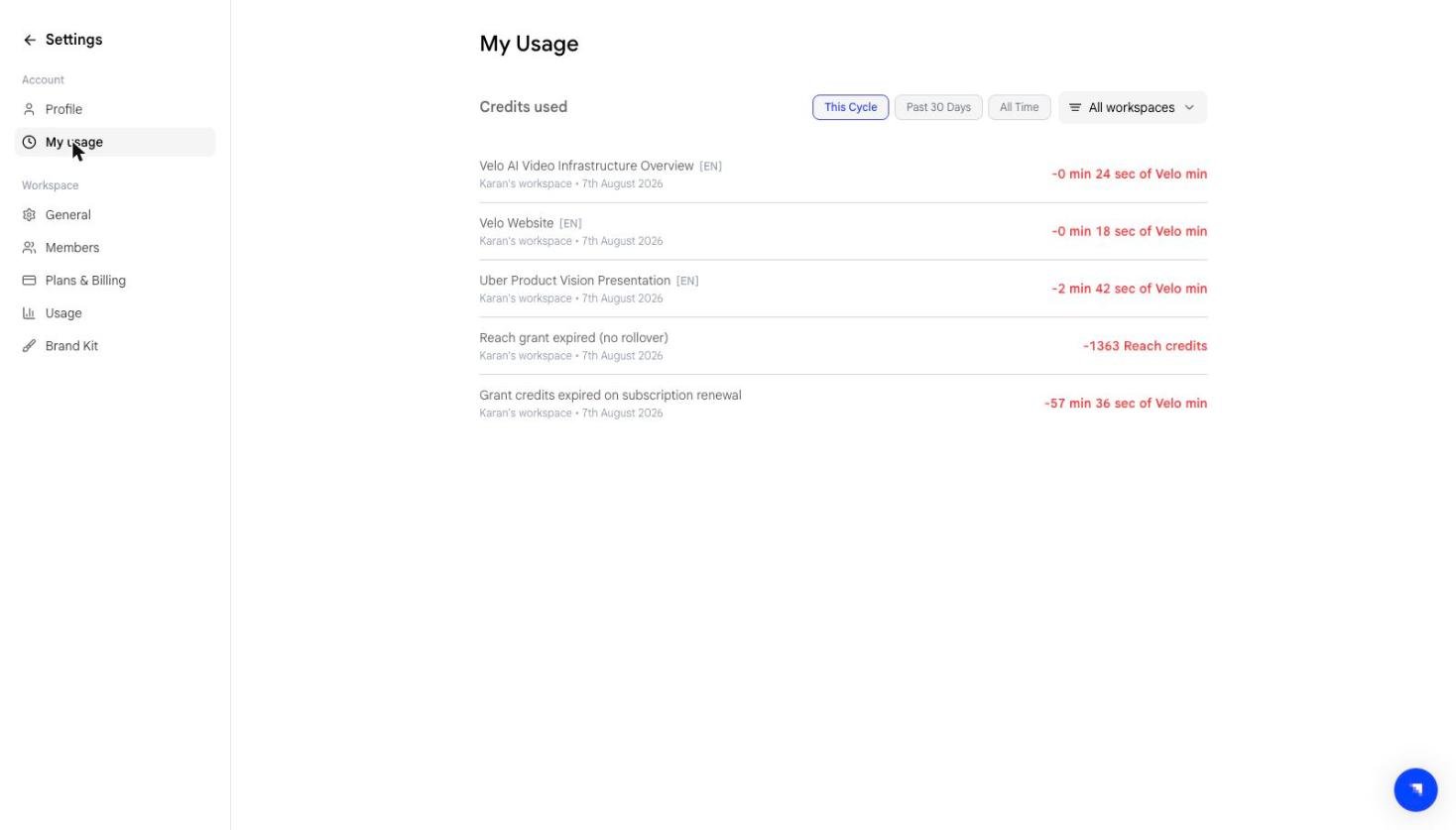
- This Cycle — current billing period
- Past 30 Days
- All Time
Usage (Workspace level)
Navigate to Settings → Usage to see the workspace’s shared pool and a breakdown of usage across all members.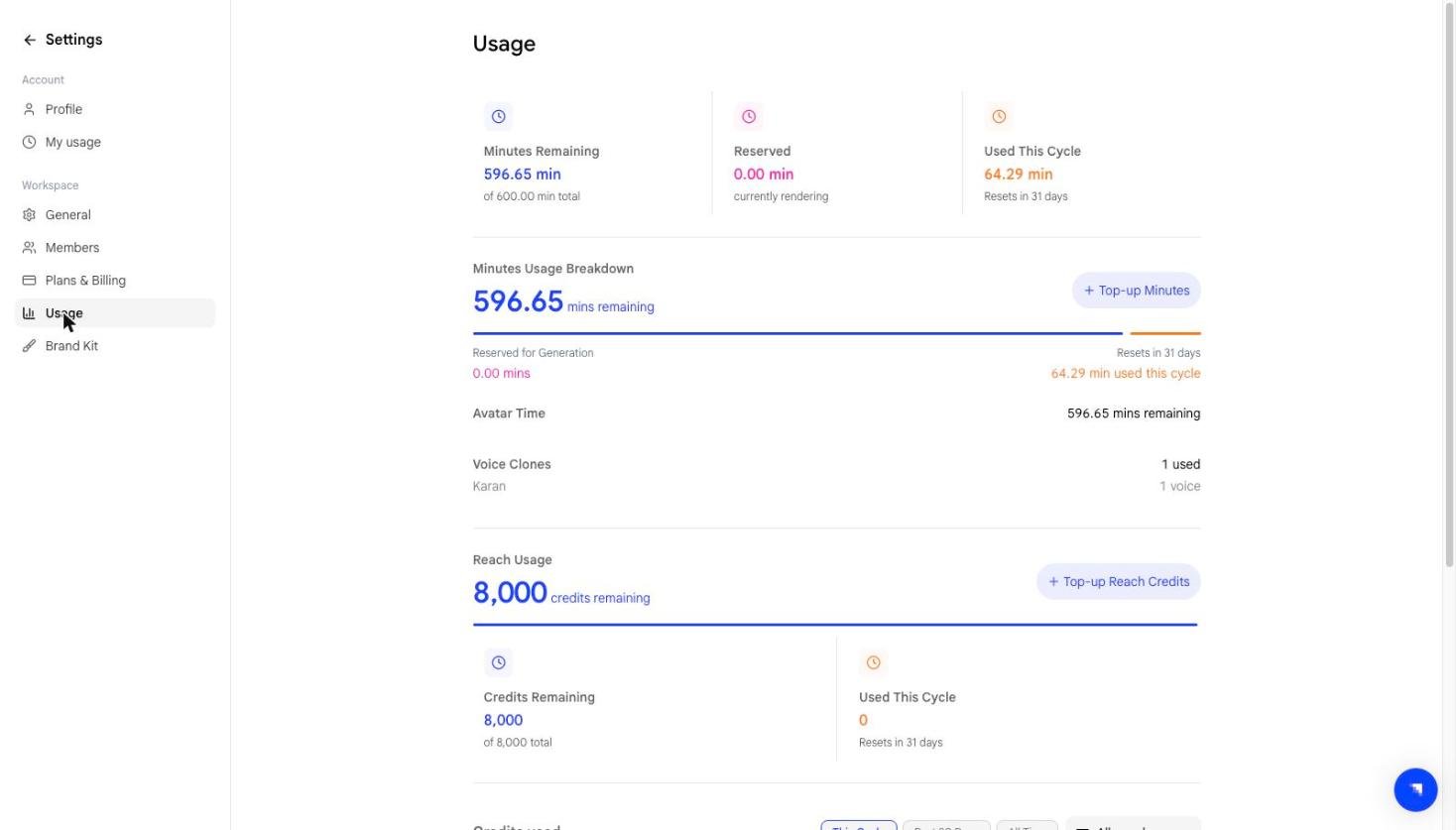
Below the summary, the Minutes Usage Breakdown chart gives a visual overview of remaining, reserved, and used minutes. A Top-up Minutes button is available on the Free plan if you need more.
Usage entries
The table below the chart shows individual usage entries. Filter by time period (This Cycle, Past 30 Days, All Time) or by member using the All members dropdown to see who on your team is consuming minutes.What happens when you run out
When a workspace exhausts its minute pool, video creation is blocked for all members. To resume:- Top up minutes (Free plan only)
- Upgrade your plan for a higher monthly allowance
- Wait for the cycle to reset
Avatar time and voice clones
Below the minutes breakdown, the same page shows Avatar Time remaining and the number of Voice Clones in use, broken down by member.Prompt to Video credits
Prompt to Video is metered separately, from its own credit pool. Further down the Usage page, a Reach Usage panel shows:
A Top-up Reach Credits button sits alongside it.
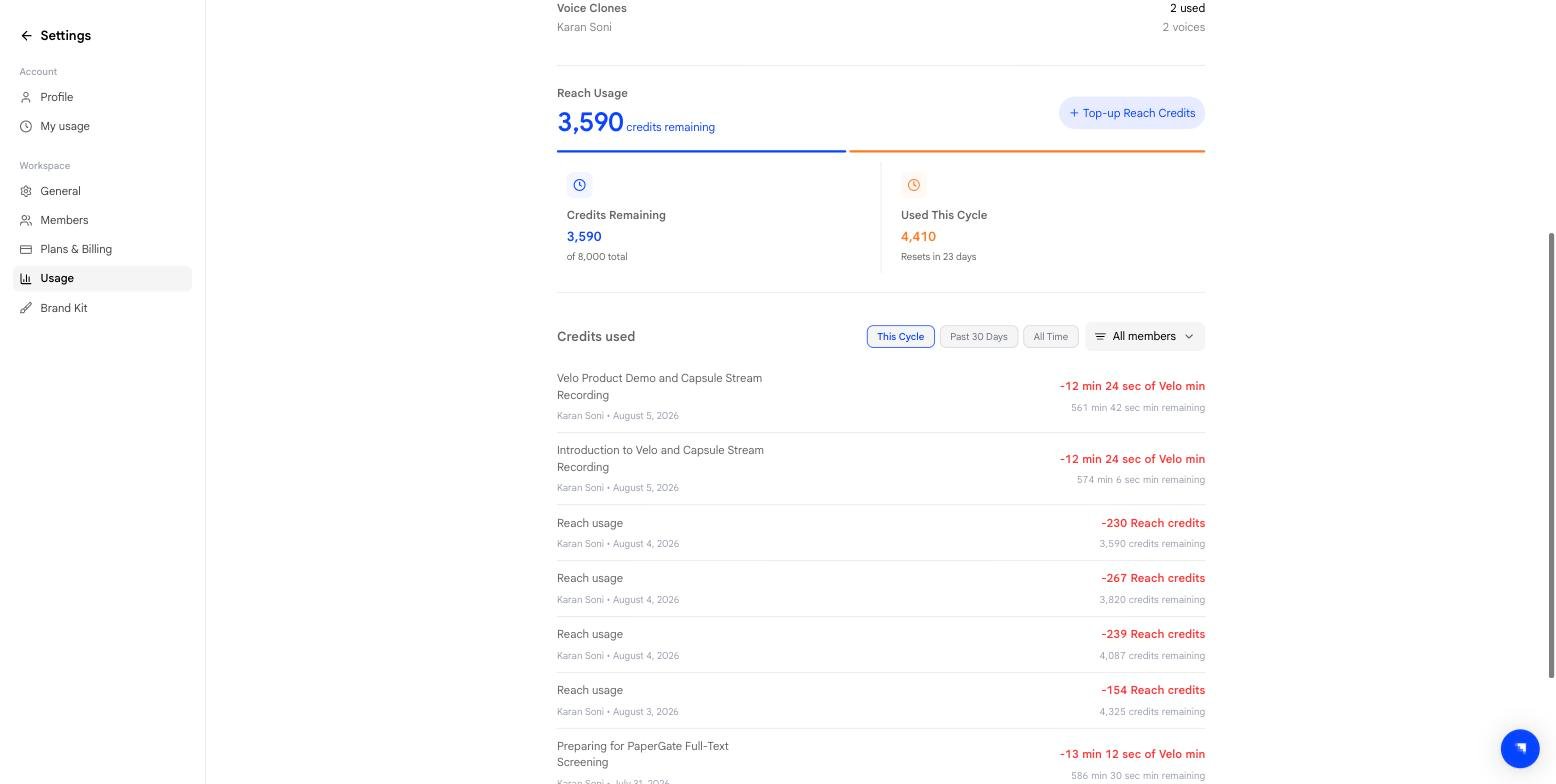
The app labels this pool Reach credits. It is the same pool described in Billing & credits.