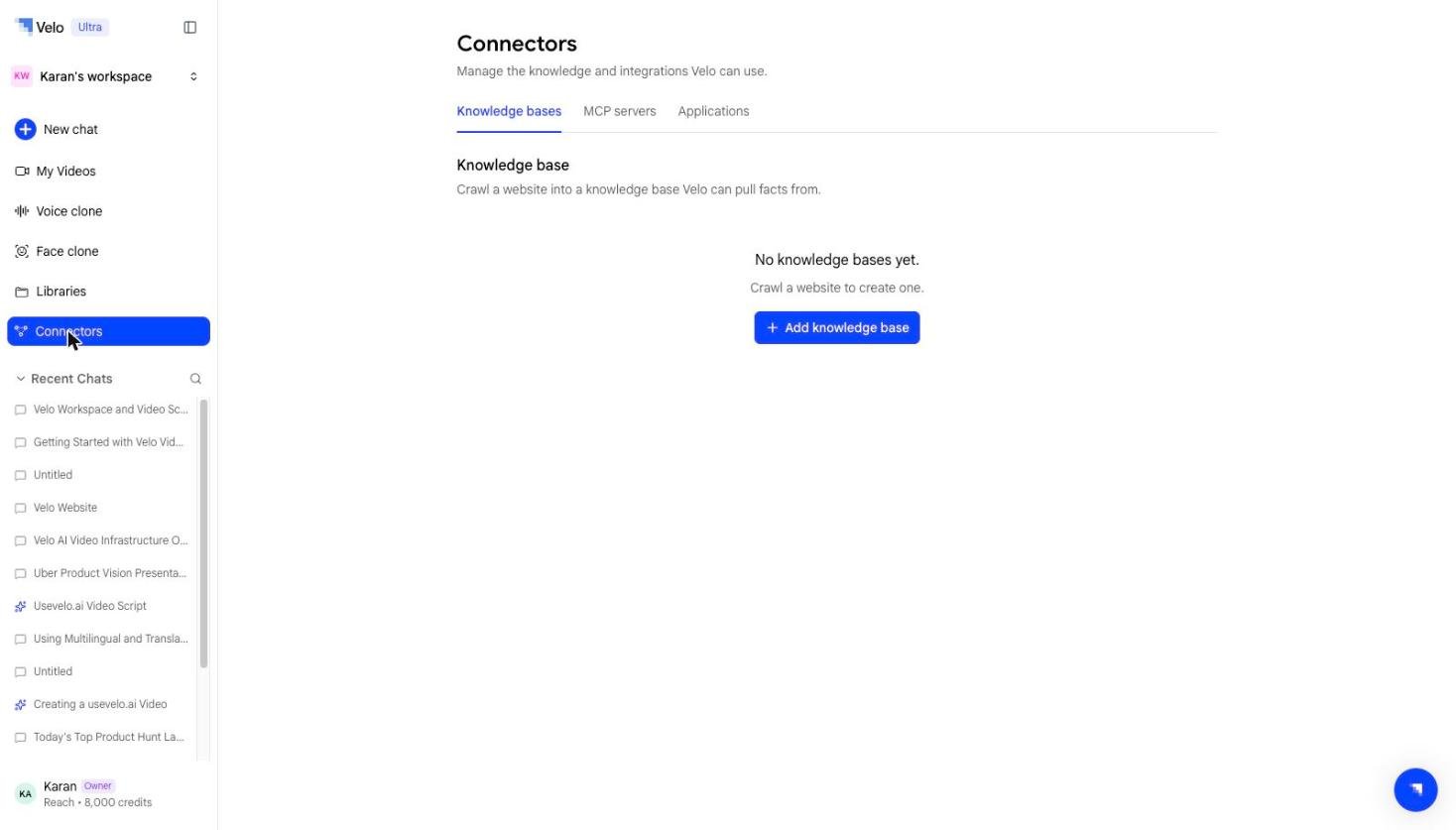
Connectors are how Prompt to Video learns about your product, your data, and your team’s context before it writes a script. Without a connector, the agent works from your prompt alone. With one, it can pull in real, current information instead of guessing.
Connectors tabs
Connectors live under Connectors in your workspace sidebar, split into three tabs:

Knowledge bases

Turn a website or set of docs into a reusable, queryable knowledge source. Crawl a site once, select the pages that matter, and the agent can reference that content across every future video. See Knowledge bases.

MCP servers

Bring your own MCP (Model Context Protocol) server as a knowledge source, for teams with internal tools or data that aren’t covered by a standard integration. See MCP servers.

Applications

Connect over 100 apps — Slack, Notion, Gmail, Google Drive, Confluence, Salesforce, HubSpot, Linear, Jira, Zendesk, GitHub, Google Calendar, and more — so the agent can pull relevant context directly from the tools your team already uses. See Applications.

Do I need a connector?

No — Prompt to Video works from a prompt alone. Connectors are for when you want the script grounded in specific, current information rather than general knowledge.