Rewriting with AI via Quick Actions
The fastest way to overhaul your script is through the AI rewrite tool in the main chat interface. Step 1: Select Rewrite script from the Quick actions menu. Step 2: Choose a persona for the voice, such as Founder, Product Manager, or Engineering team.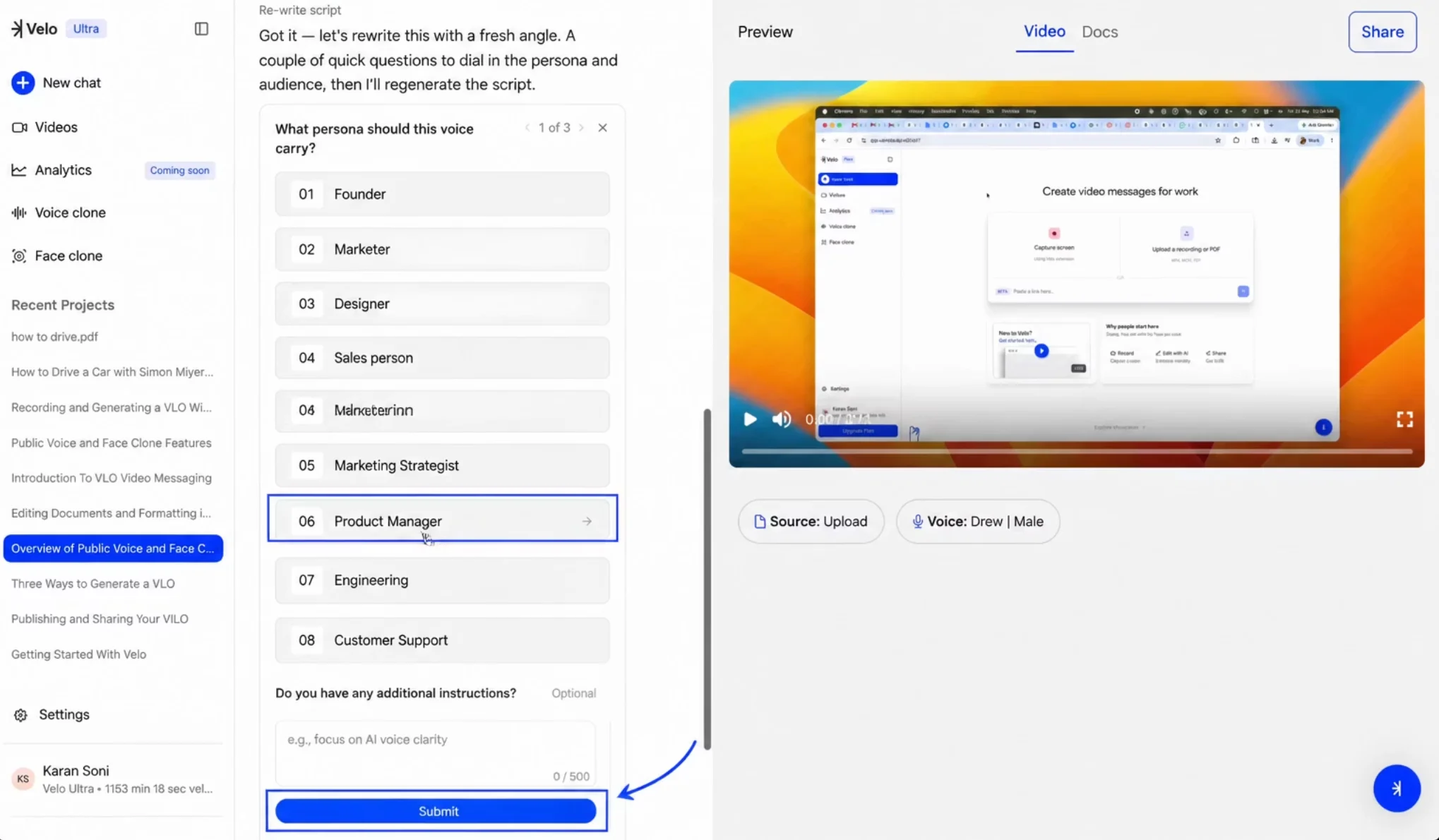
Manual Editing and Character Constraints
You can manually tweak specific words or sentences in a rewritten script to perfect the messaging. To preserve the timing and flow of the original video, Velo enforces a character limit for manual changes. Edits are restricted to plus or minus 20% of the original character count between sync points, and the interface displays the allowed range (e.g., “64–96 allowed”) to help you stay within limits.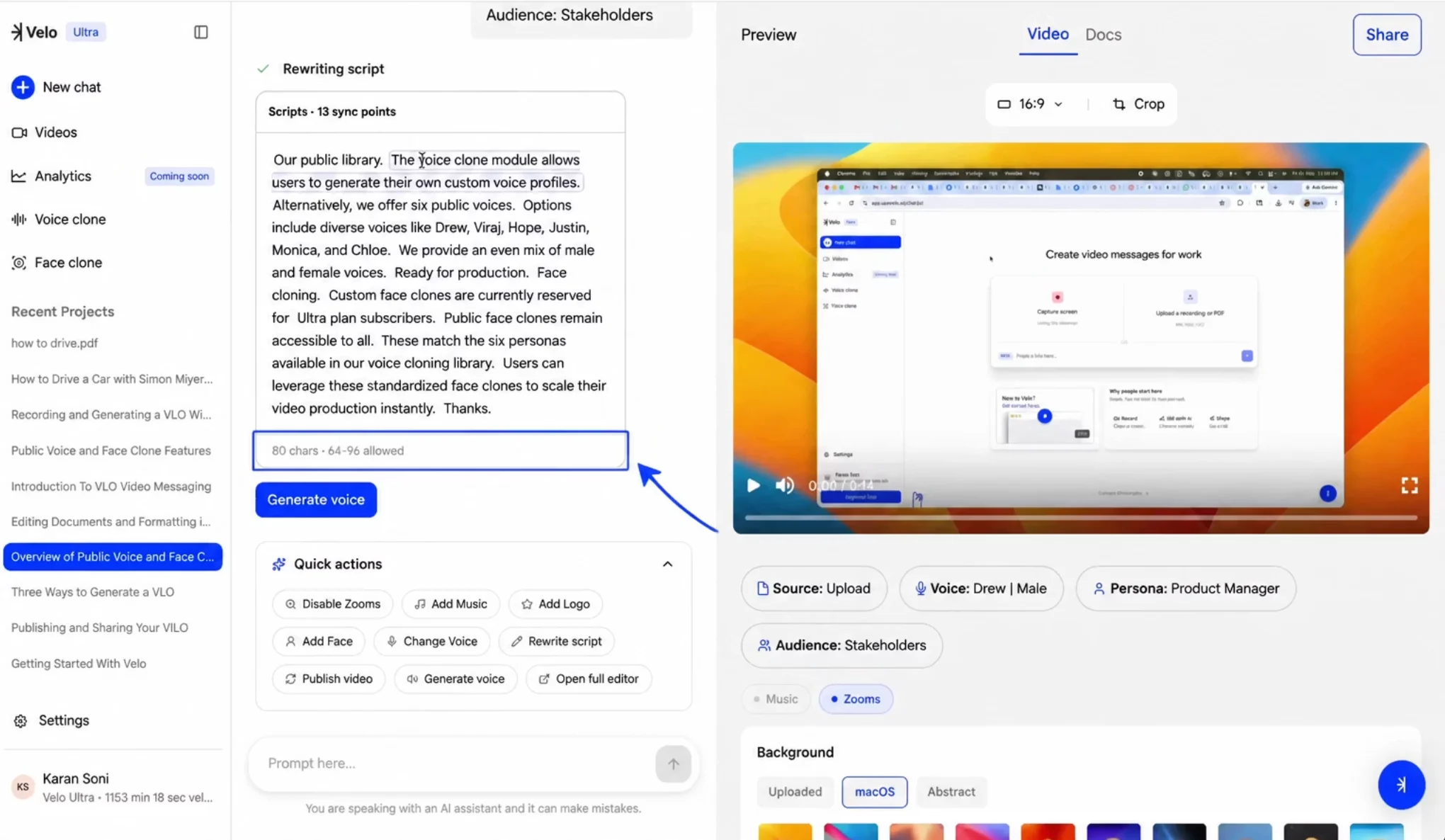
Using the Scripts Panel in the Full Editor
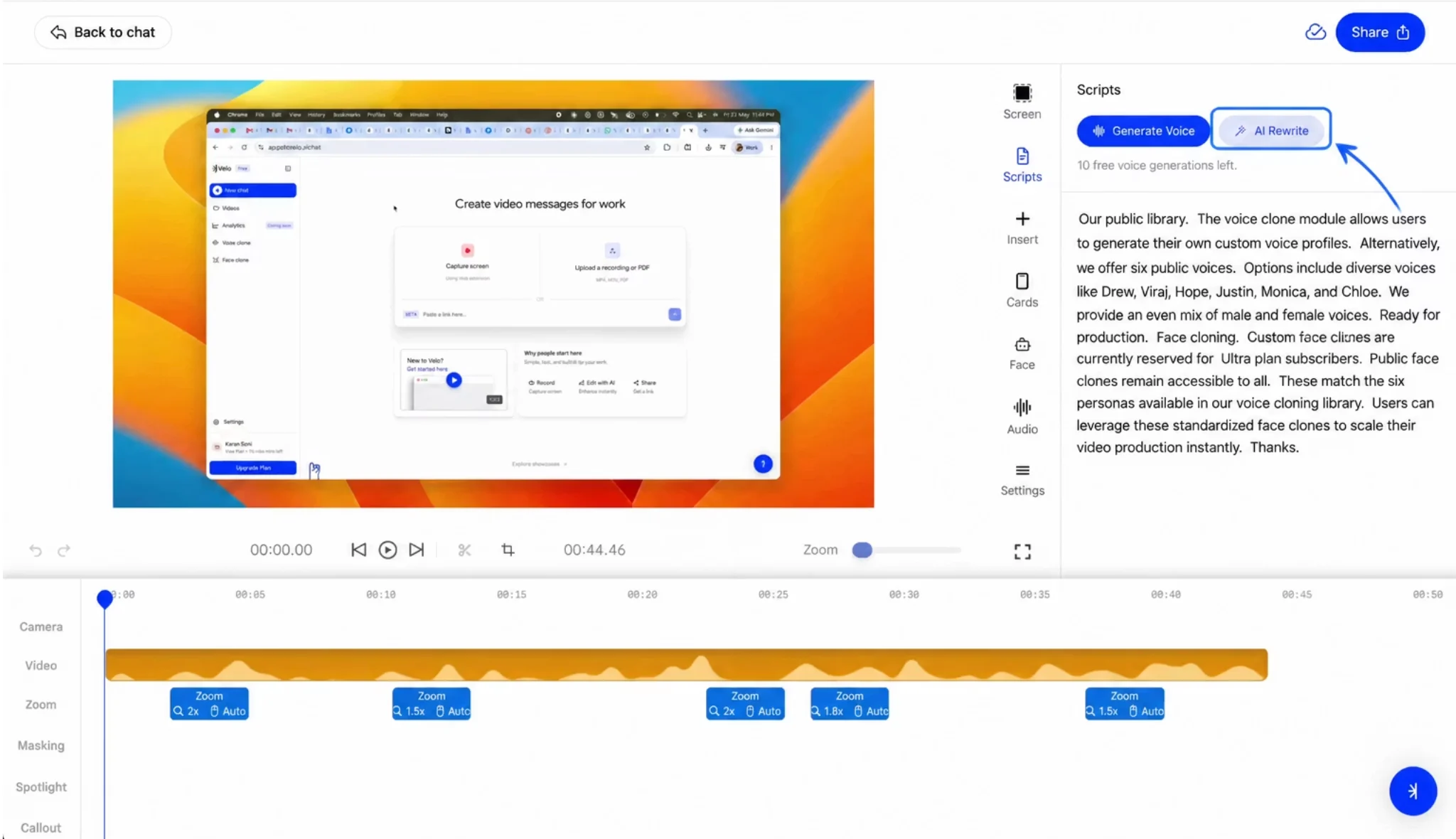
For more granular control, access script tools within the comprehensive editing suite. Step 1: Click Open full editor from the Quick actions menu. Step 2: Select the Scripts icon in the right-hand vertical sidebar. Step 3: Click AI Rewrite at the top of the panel to trigger the automated rewrite flow, or click directly into the script blocks to make manual changes.