> ## Documentation Index
> Fetch the complete documentation index at: https://docs.usevelo.ai/llms.txt
> Use this file to discover all available pages before exploring further.
# Invite Members
> Add teammates to your workspace and assign roles.
Invite people to your workspace so they can create and share videos using your team's shared minute pool.
## How to invite members
**Step 1:** Open the workspace dropdown by clicking the workspace name at the top of the sidebar, then select **Invite members**. You can also navigate to **Settings → Members** and click the **Invite** button.
**Step 2:** Enter the email address of the person you want to invite.
**Step 3:** Choose a role — **Admin** or **Member**. You can change roles later.
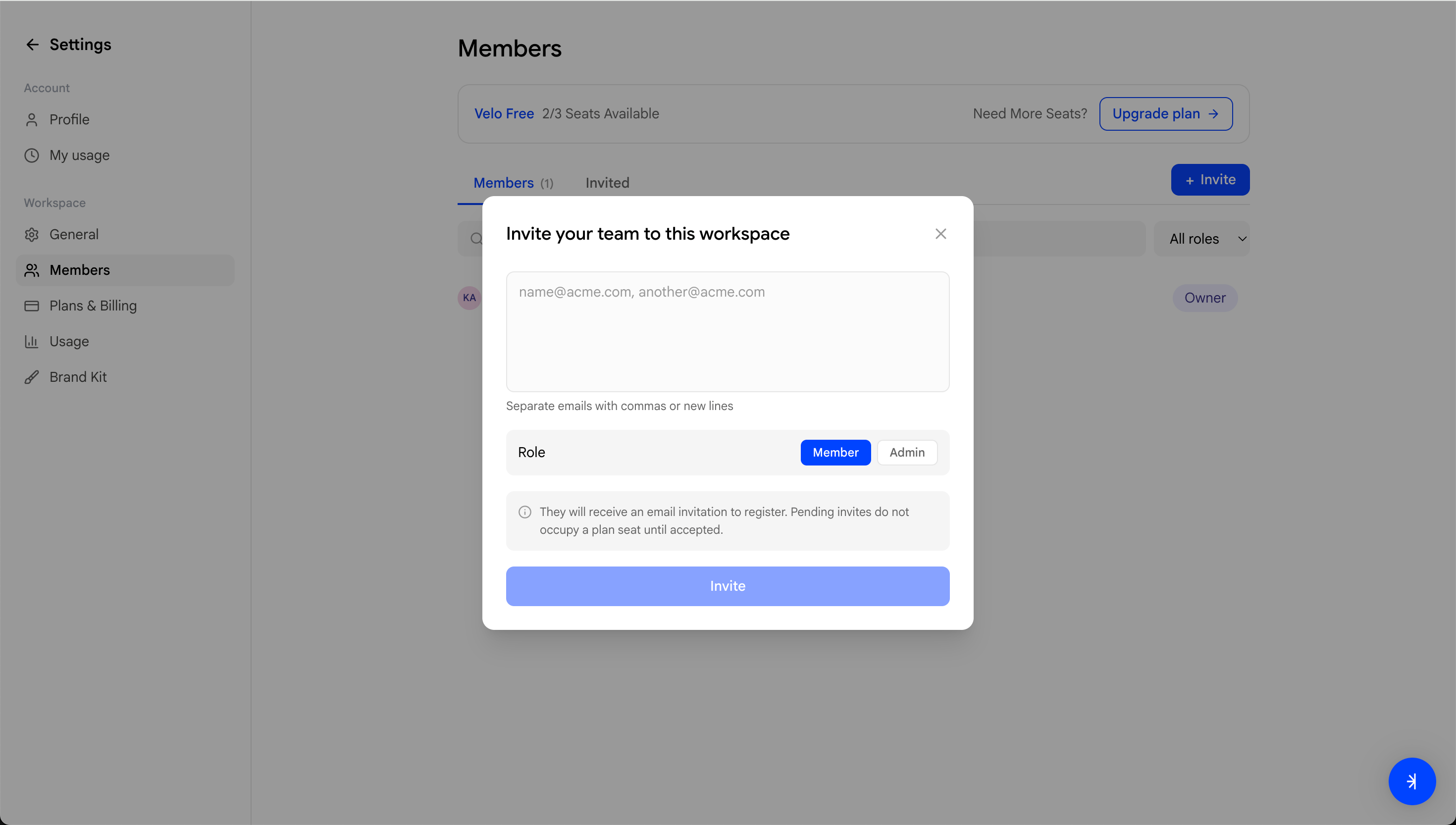 The invited person will receive an email with a link to join your workspace. Once they accept, they'll appear under the **Members** tab in Settings.
## Managing members
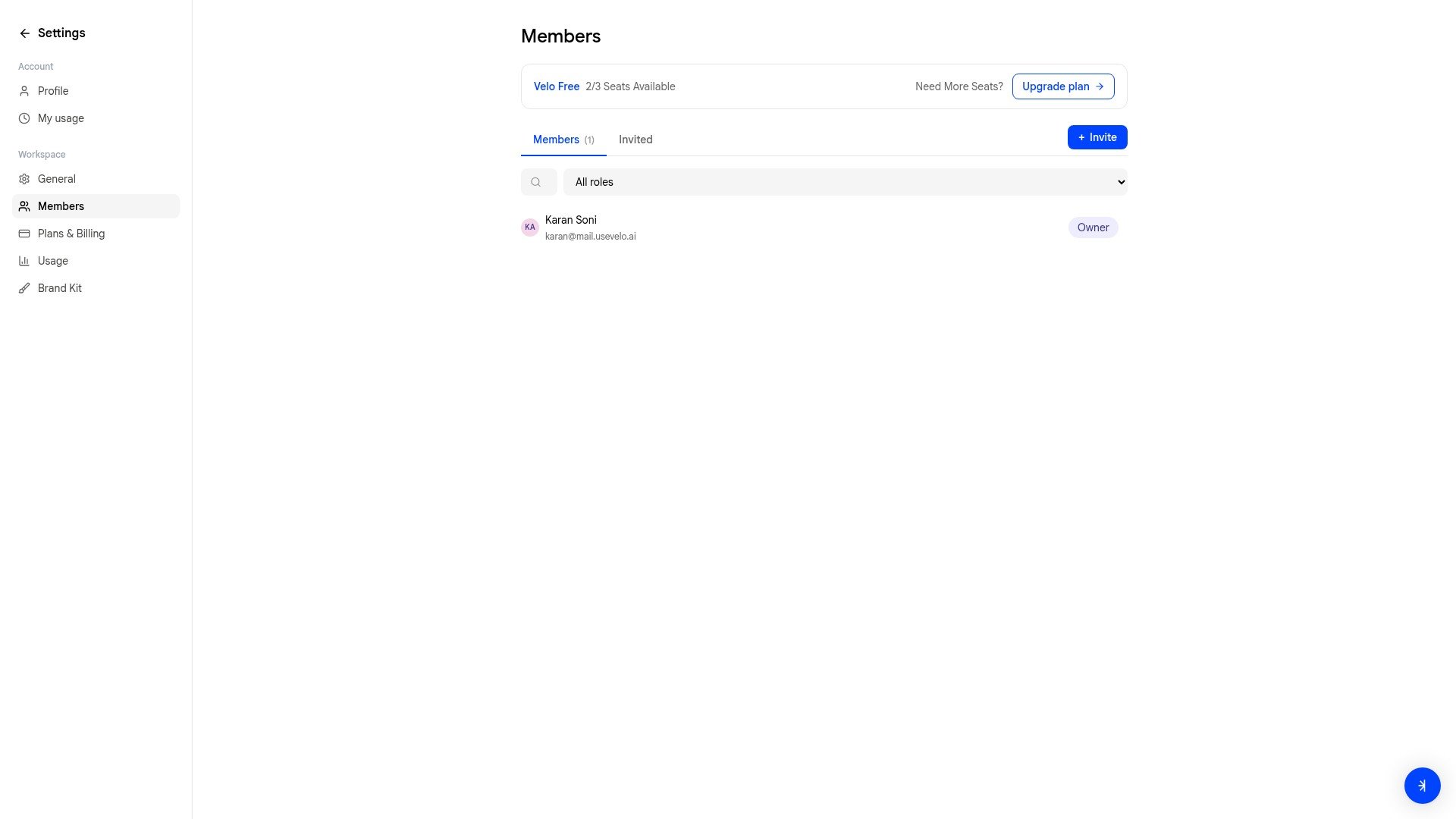
From **Settings → Members**, you can:
* View all current members and their roles
* Switch to the **Invited** tab to see pending invitations
* Search members by name or email
* Change a member's role by clicking the role badge next to their name
The invited person will receive an email with a link to join your workspace. Once they accept, they'll appear under the **Members** tab in Settings.
## Managing members
From **Settings → Members**, you can:
* View all current members and their roles
* Switch to the **Invited** tab to see pending invitations
* Search members by name or email
* Change a member's role by clicking the role badge next to their name
 ## Seat limits
Each plan includes a set number of seats:
| Plan | Seats |
| ----- | ----- |
| Free | 3 |
| Pro | 5 |
| Ultra | 20 |
The **Members** page shows how many seats are available — for example, "2/3 Seats Available" on the Free plan. If you've reached your seat limit, [upgrade your plan](/settings/plans-billing) to add more.
## Seat limits
Each plan includes a set number of seats:
| Plan | Seats |
| ----- | ----- |
| Free | 3 |
| Pro | 5 |
| Ultra | 20 |
The **Members** page shows how many seats are available — for example, "2/3 Seats Available" on the Free plan. If you've reached your seat limit, [upgrade your plan](/settings/plans-billing) to add more.