> ## Documentation Index
> Fetch the complete documentation index at: https://docs.usevelo.ai/llms.txt
> Use this file to discover all available pages before exploring further.
# Usage
> Track minute consumption across your account and workspace.
Velo provides two usage views — one for your personal activity across all workspaces, and one for the workspace as a whole.
## My Usage (Account level)
Navigate to **Settings → My Usage** to see your personal minute consumption.
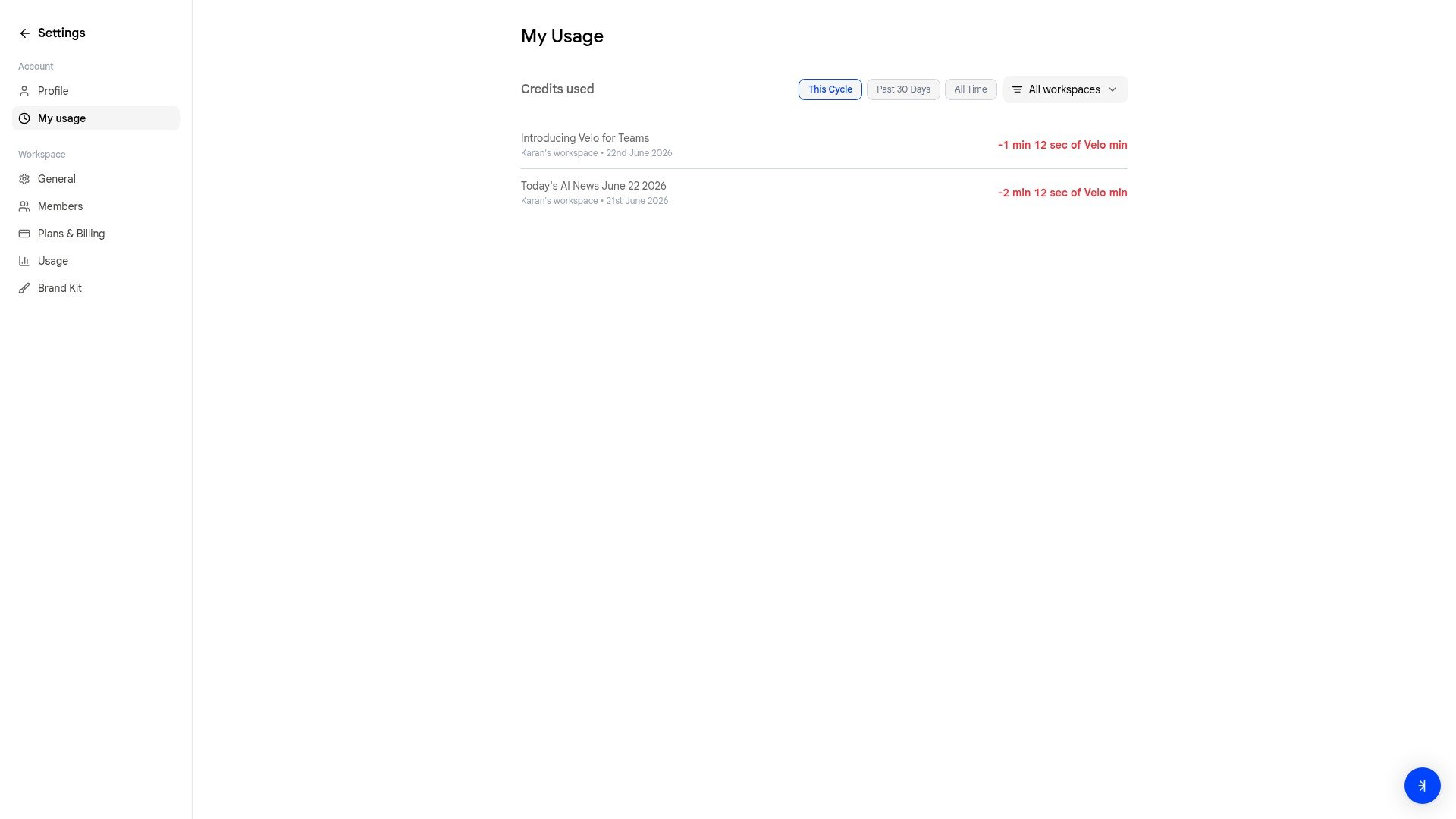 Filter by time period:
* **This Cycle** — current billing period
* **Past 30 Days**
* **All Time**
You can also filter by workspace using the **All workspaces** dropdown.
## Usage (Workspace level)
Navigate to **Settings → Usage** to see the workspace's shared pool and a breakdown of usage across all members.
Filter by time period:
* **This Cycle** — current billing period
* **Past 30 Days**
* **All Time**
You can also filter by workspace using the **All workspaces** dropdown.
## Usage (Workspace level)
Navigate to **Settings → Usage** to see the workspace's shared pool and a breakdown of usage across all members.
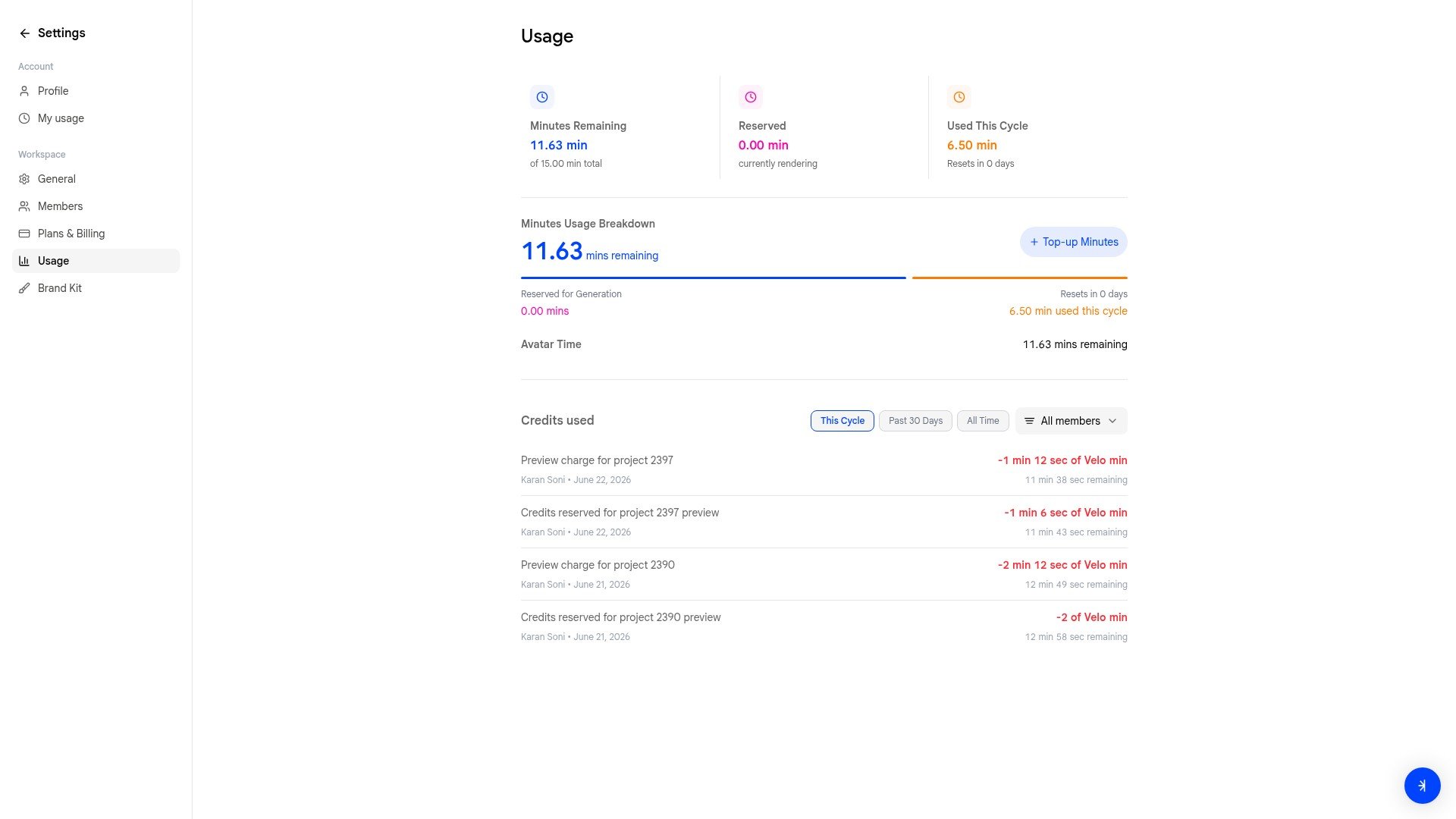 The dashboard shows:
| Metric | Description |
| --------------------- | ----------------------------------------------------- |
| **Minutes Remaining** | How many shared minutes are left in the current cycle |
| **Reserved** | Minutes currently being used by active video chats |
| **Used This Cycle** | Total minutes consumed since the last reset |
| **Resets in** | Days until the minute pool resets |
Below the summary, the **Minutes Usage Breakdown** chart gives a visual overview of remaining, reserved, and used minutes. A **Top-up Minutes** button is available on the Free plan if you need more.
### Credits used
The table at the bottom shows individual usage entries. Filter by time period (**This Cycle**, **Past 30 Days**, **All Time**) or by member using the **All members** dropdown to see who on your team is consuming minutes.
## What happens when you run out
When a workspace exhausts its minute pool, video creation is blocked for all members. To resume:
* [Top up minutes](/settings/plans-billing) (Free plan only)
* [Upgrade your plan](/settings/plans-billing) for a higher monthly allowance
* Wait for the cycle to reset
The dashboard shows:
| Metric | Description |
| --------------------- | ----------------------------------------------------- |
| **Minutes Remaining** | How many shared minutes are left in the current cycle |
| **Reserved** | Minutes currently being used by active video chats |
| **Used This Cycle** | Total minutes consumed since the last reset |
| **Resets in** | Days until the minute pool resets |
Below the summary, the **Minutes Usage Breakdown** chart gives a visual overview of remaining, reserved, and used minutes. A **Top-up Minutes** button is available on the Free plan if you need more.
### Credits used
The table at the bottom shows individual usage entries. Filter by time period (**This Cycle**, **Past 30 Days**, **All Time**) or by member using the **All members** dropdown to see who on your team is consuming minutes.
## What happens when you run out
When a workspace exhausts its minute pool, video creation is blocked for all members. To resume:
* [Top up minutes](/settings/plans-billing) (Free plan only)
* [Upgrade your plan](/settings/plans-billing) for a higher monthly allowance
* Wait for the cycle to reset