> ## Documentation Index
> Fetch the complete documentation index at: https://docs.usevelo.ai/llms.txt
> Use this file to discover all available pages before exploring further.
# Plans & Billing
> View your current plan, upgrade, top up minutes, and manage payment methods.
Plans and billing are managed at the workspace level. Navigate to **Settings → Plans & Billing** to view your current plan and manage billing.
## Plans tab
The **Plans** tab shows your current plan and the upgrade options available. Each plan includes a set number of Velo minutes, seats, and features. See the [Pricing](/pricing/pricing) page for a full comparison.
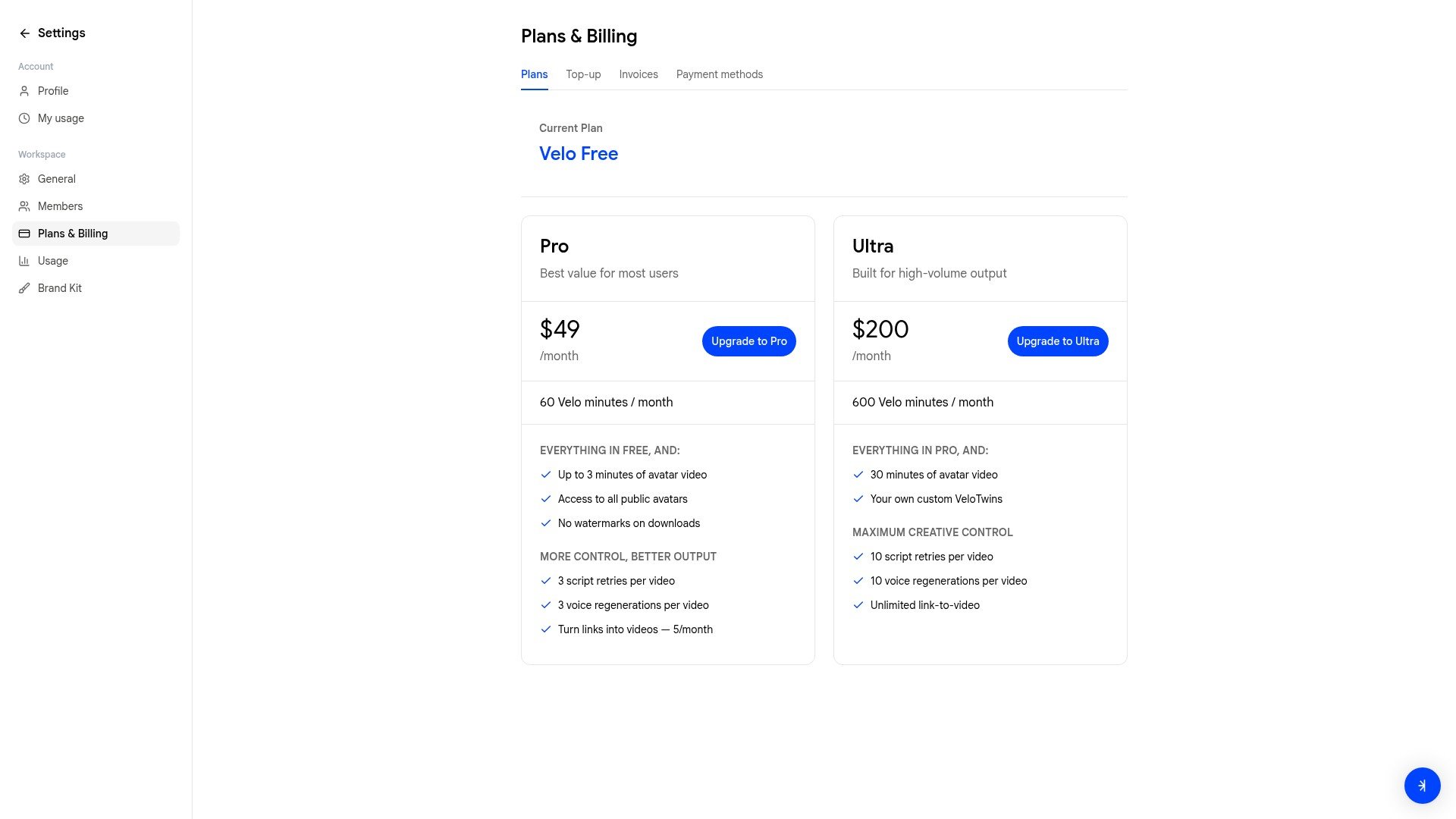 Click **Upgrade to Pro** or **Upgrade to Ultra** to switch plans.
## Top-up tab
If you're on the Free plan and run out of minutes before your cycle resets, you can purchase additional minutes from the **Top-up** tab.
Click **Upgrade to Pro** or **Upgrade to Ultra** to switch plans.
## Top-up tab
If you're on the Free plan and run out of minutes before your cycle resets, you can purchase additional minutes from the **Top-up** tab.
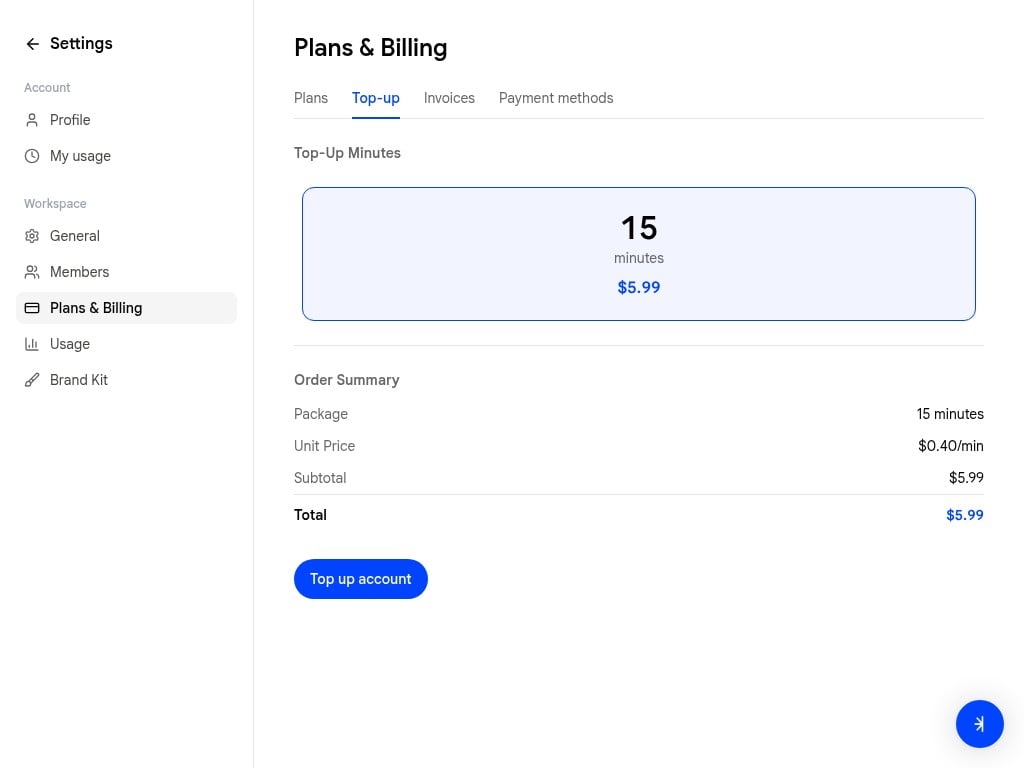 * **15 minutes** for \$$5.99$ (0.40/min)
Click **Top up account** to complete the purchase. Top-up minutes are added to your workspace's shared pool immediately.
Top-up is available on the Free plan only. Pro and Ultra plans include higher minute allowances — consider upgrading if you regularly need more.
## Invoices tab
View and download past invoices for your workspace.
## Payment methods tab
Add, update, or remove payment methods used for plan subscriptions and top-ups.
* **15 minutes** for \$$5.99$ (0.40/min)
Click **Top up account** to complete the purchase. Top-up minutes are added to your workspace's shared pool immediately.
Top-up is available on the Free plan only. Pro and Ultra plans include higher minute allowances — consider upgrading if you regularly need more.
## Invoices tab
View and download past invoices for your workspace.
## Payment methods tab
Add, update, or remove payment methods used for plan subscriptions and top-ups.