> ## Documentation Index
> Fetch the complete documentation index at: https://docs.usevelo.ai/llms.txt
> Use this file to discover all available pages before exploring further.
# What is Prompt to Video
> Describe what you want to explain, and Velo writes the script, generates the voiceover, and renders the video for you.
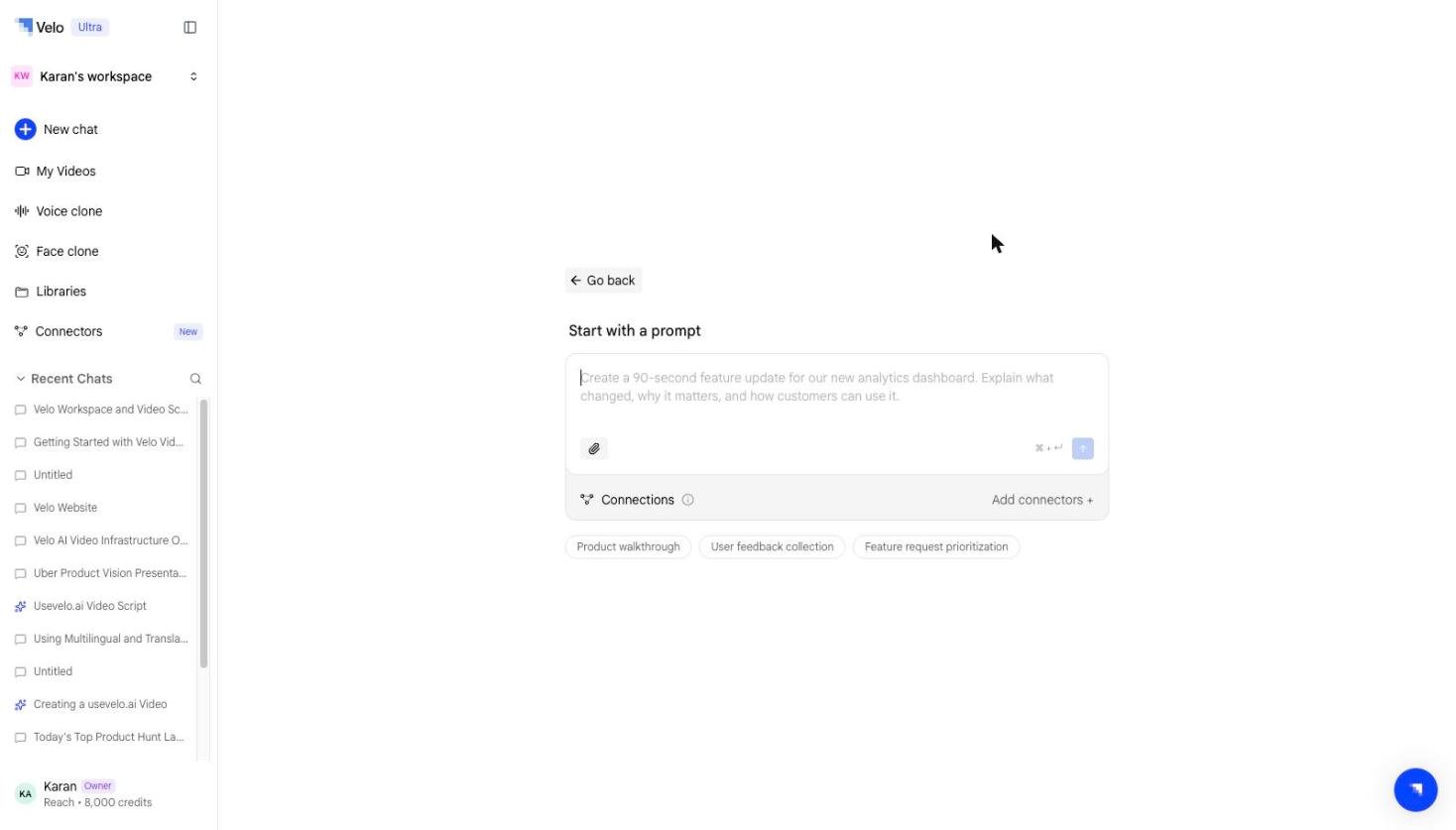
Prompt to Video is a way to create a video message from a single instruction, with no recording, upload, or link required. You describe what you want explained, and an agent researches the topic, writes the script, generates the voiceover, and renders the finished video in one conversation.
 ## How it works
A Prompt to Video session runs as a single agent conversation:
1. **You describe the video.** Type what you want covered — a feature, a workflow, an update for your team — the same way you'd brief a colleague.
2. **The agent reads your knowledge.** It pulls context from any knowledge bases, MCP servers, or connected applications you've linked (see [Connectors](/prompt-to-video/connectors/overview)), so the script reflects your actual product and data instead of generic filler.
3. **It writes a script.** You can review and edit the script before anything is rendered.
4. **It generates a voiceover** using a public voice or your own cloned voice.
5. **It renders the video.** The finished video appears in your workspace like any other videos — shareable, editable, and trackable.
## Where to find it
Start a Prompt to Video session from **New chat → Prompt** in your workspace, or from the dedicated Prompt to Video area in the sidebar.
## What's next
* [When to use Prompt to Video](/prompt-to-video/prompt-to-video-vs-velo) — how it compares with the other paths
* [Connectors](/prompt-to-video/connectors/overview) — give the agent knowledge to work from
* [Creating a video](/prompt-to-video/creating-a-video) — a full walkthrough
* [Editing in Prompt to Video](/prompt-to-video/editing) — re-editing by prompt
* [Billing & credits](/prompt-to-video/billing-credits) — how Prompt to Video credits are metered
## How it works
A Prompt to Video session runs as a single agent conversation:
1. **You describe the video.** Type what you want covered — a feature, a workflow, an update for your team — the same way you'd brief a colleague.
2. **The agent reads your knowledge.** It pulls context from any knowledge bases, MCP servers, or connected applications you've linked (see [Connectors](/prompt-to-video/connectors/overview)), so the script reflects your actual product and data instead of generic filler.
3. **It writes a script.** You can review and edit the script before anything is rendered.
4. **It generates a voiceover** using a public voice or your own cloned voice.
5. **It renders the video.** The finished video appears in your workspace like any other videos — shareable, editable, and trackable.
## Where to find it
Start a Prompt to Video session from **New chat → Prompt** in your workspace, or from the dedicated Prompt to Video area in the sidebar.
## What's next
* [When to use Prompt to Video](/prompt-to-video/prompt-to-video-vs-velo) — how it compares with the other paths
* [Connectors](/prompt-to-video/connectors/overview) — give the agent knowledge to work from
* [Creating a video](/prompt-to-video/creating-a-video) — a full walkthrough
* [Editing in Prompt to Video](/prompt-to-video/editing) — re-editing by prompt
* [Billing & credits](/prompt-to-video/billing-credits) — how Prompt to Video credits are metered