> ## Documentation Index
> Fetch the complete documentation index at: https://docs.usevelo.ai/llms.txt
> Use this file to discover all available pages before exploring further.
# Overview
> Give Prompt to Video real knowledge to draw from — knowledge bases, MCP servers, and connected applications.
Connectors are how Prompt to Video learns about your product, your data, and your team's context before it writes a script. Without a connector, the agent works from your prompt alone. With one, it can pull in real, current information instead of guessing.
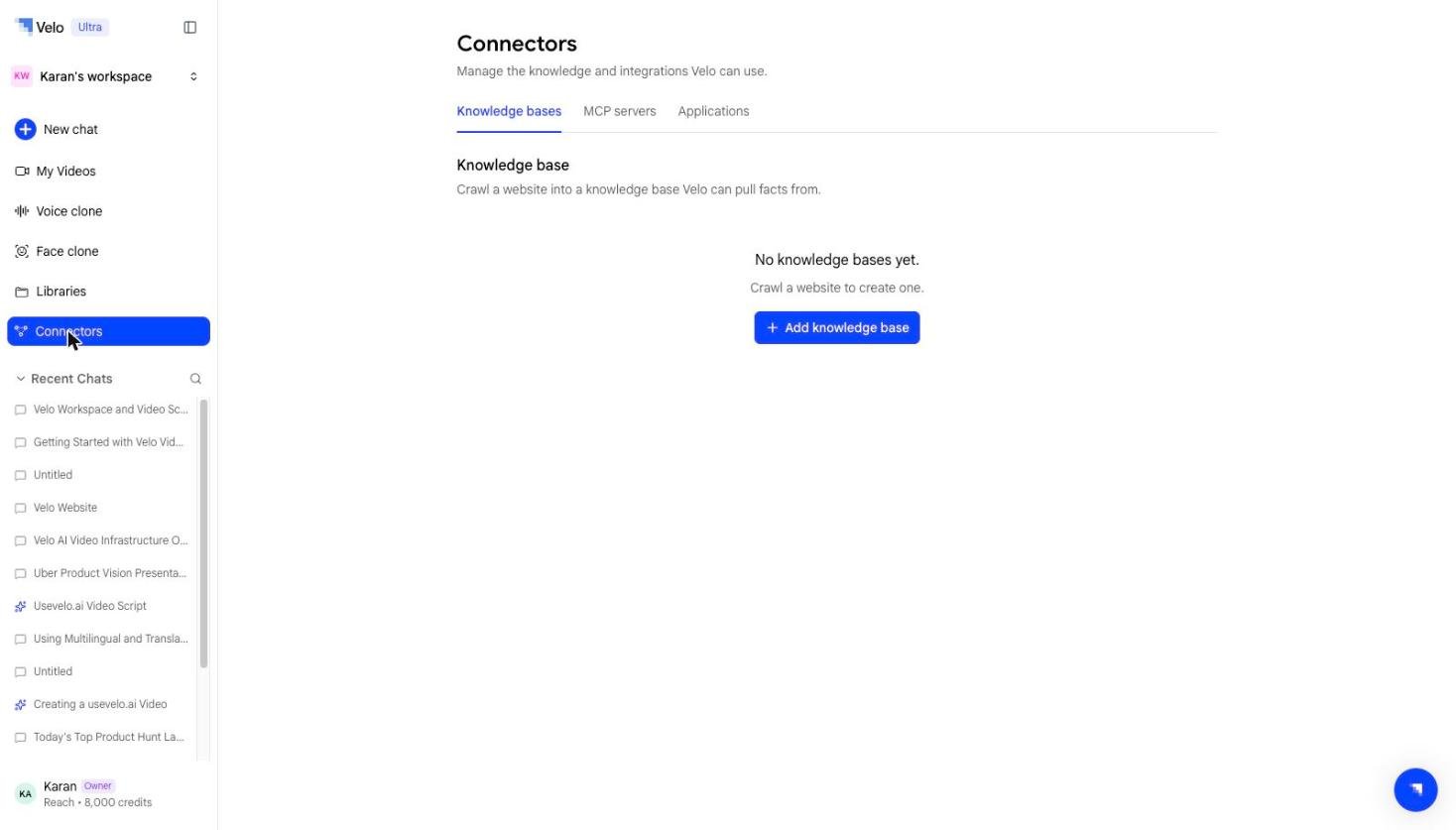 Connectors live under **Connectors** in your workspace sidebar, split into three tabs:
## Knowledge bases
Turn a website or set of docs into a reusable, queryable knowledge source. Crawl a site once, select the pages that matter, and the agent can reference that content across every future video. See [Knowledge bases](/prompt-to-video/connectors/knowledge-bases).
## MCP servers
Bring your own MCP (Model Context Protocol) server as a knowledge source, for teams with internal tools or data that aren't covered by a standard integration. See [MCP servers](/prompt-to-video/connectors/mcp-servers).
## Applications
Connect over 100 apps — Slack, Notion, Gmail, Google Drive, Confluence, Salesforce, HubSpot, Linear, Jira, Zendesk, GitHub, Google Calendar, and more — so the agent can pull relevant context directly from the tools your team already uses. See [Applications](/prompt-to-video/connectors/applications).
## Do I need a connector?
No — Prompt to Video works from a prompt alone. Connectors are for when you want the script grounded in specific, current information rather than general knowledge.
Connectors live under **Connectors** in your workspace sidebar, split into three tabs:
## Knowledge bases
Turn a website or set of docs into a reusable, queryable knowledge source. Crawl a site once, select the pages that matter, and the agent can reference that content across every future video. See [Knowledge bases](/prompt-to-video/connectors/knowledge-bases).
## MCP servers
Bring your own MCP (Model Context Protocol) server as a knowledge source, for teams with internal tools or data that aren't covered by a standard integration. See [MCP servers](/prompt-to-video/connectors/mcp-servers).
## Applications
Connect over 100 apps — Slack, Notion, Gmail, Google Drive, Confluence, Salesforce, HubSpot, Linear, Jira, Zendesk, GitHub, Google Calendar, and more — so the agent can pull relevant context directly from the tools your team already uses. See [Applications](/prompt-to-video/connectors/applications).
## Do I need a connector?
No — Prompt to Video works from a prompt alone. Connectors are for when you want the script grounded in specific, current information rather than general knowledge.