> ## Documentation Index
> Fetch the complete documentation index at: https://docs.usevelo.ai/llms.txt
> Use this file to discover all available pages before exploring further.
# Knowledge bases
> Crawl a website or set of docs into a reusable knowledge source for Prompt to Video.
A knowledge base is a crawled snapshot of a website or documentation set that Prompt to Video can reference when writing a script. Build it once, reuse it across every video on that topic.
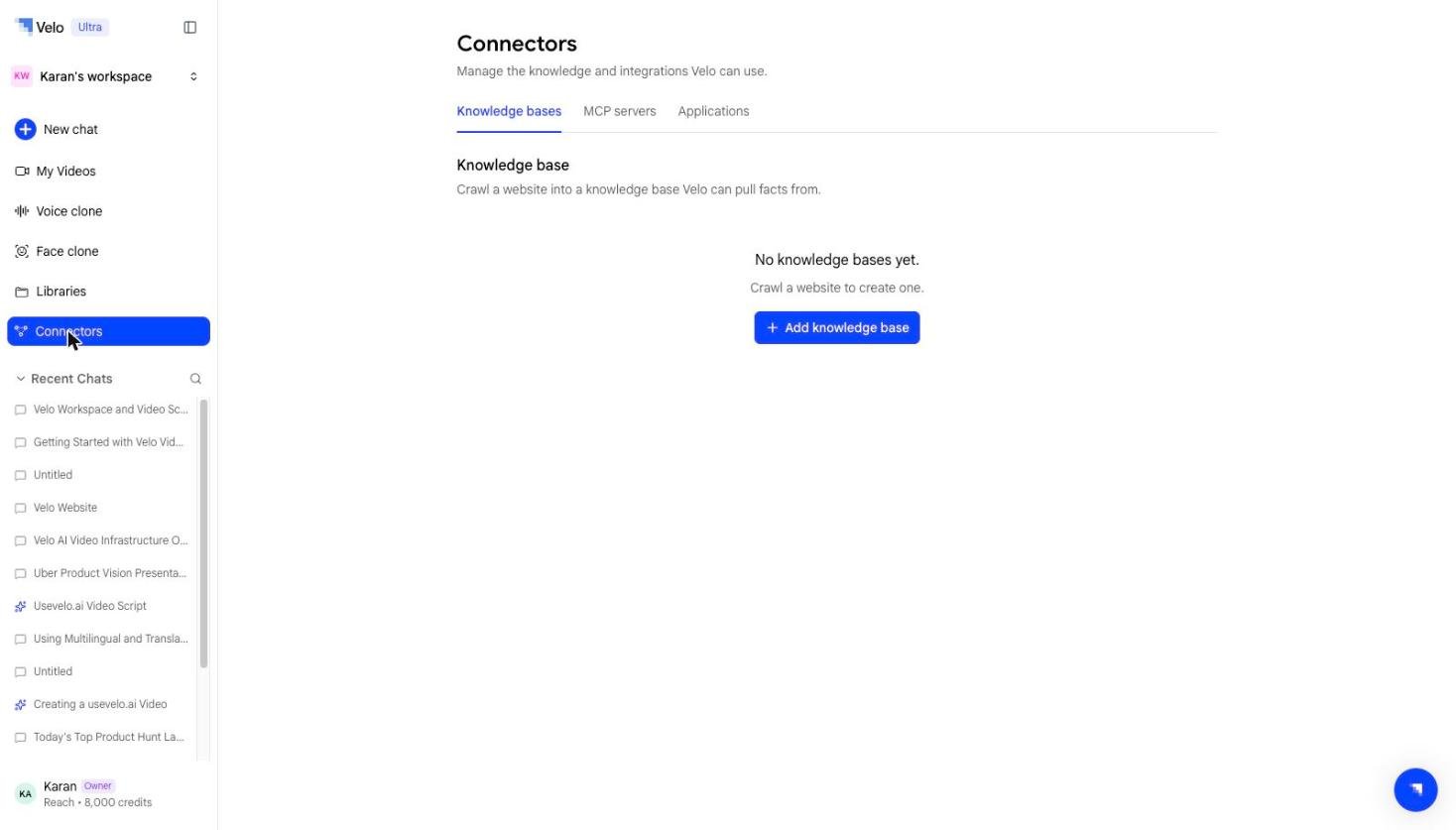 The tab starts empty. Once you add one, each knowledge base in the list shows its visibility, its status, the number of pages ingested, and when it was last crawled.
## Creating a knowledge base
**Step 1:** Go to **Connectors → Knowledge bases** and select **Add knowledge base**.
**Step 2:** Fill in the **New knowledge base** dialog:
| Field | Description |
| --------------------------- | ----------------------------------------------------------------------------- |
| **Name** | How the knowledge base appears in the list and when attaching it to a session |
| **Seed URL** | The page Velo starts crawling from |
| **Download images / media** | Include images and media found during the crawl. On by default |
The tab starts empty. Once you add one, each knowledge base in the list shows its visibility, its status, the number of pages ingested, and when it was last crawled.
## Creating a knowledge base
**Step 1:** Go to **Connectors → Knowledge bases** and select **Add knowledge base**.
**Step 2:** Fill in the **New knowledge base** dialog:
| Field | Description |
| --------------------------- | ----------------------------------------------------------------------------- |
| **Name** | How the knowledge base appears in the list and when attaching it to a session |
| **Seed URL** | The page Velo starts crawling from |
| **Download images / media** | Include images and media found during the crawl. On by default |
 **Step 3:** Select **Continue**. Velo crawls from the seed URL and returns the pages it discovers.
**Step 4:** Select the pages you want included — you do not have to ingest the entire site. Confirm to ingest.
The knowledge base shows as **Ready** once ingestion finishes, and can then be attached to any Prompt to Video session.
## Using a knowledge base
When starting a Prompt to Video session, attach a knowledge base and the agent will reference its content while researching and writing the script — useful for product documentation, release notes, help centers, or any source you'll want to explain more than once.
## Keeping it current
A knowledge base is a snapshot at the time it was ingested. If the source content changes significantly, re-crawl it to pick up the latest version.
**Step 3:** Select **Continue**. Velo crawls from the seed URL and returns the pages it discovers.
**Step 4:** Select the pages you want included — you do not have to ingest the entire site. Confirm to ingest.
The knowledge base shows as **Ready** once ingestion finishes, and can then be attached to any Prompt to Video session.
## Using a knowledge base
When starting a Prompt to Video session, attach a knowledge base and the agent will reference its content while researching and writing the script — useful for product documentation, release notes, help centers, or any source you'll want to explain more than once.
## Keeping it current
A knowledge base is a snapshot at the time it was ingested. If the source content changes significantly, re-crawl it to pick up the latest version.