> ## Documentation Index
> Fetch the complete documentation index at: https://docs.usevelo.ai/llms.txt
> Use this file to discover all available pages before exploring further.
# Applications
> Connect the tools your team already uses so Prompt to Video can draw on real, current context.
Applications are pre-built integrations with the tools your team runs on — connect one, and Prompt to Video can pull relevant context from it while writing a script.
## Connecting an application
**Step 1:** Go to **Connectors → Applications**.
**Step 2:** Find the app you want. The directory is long, so use the **Search applications** box, or narrow it with the category filters running along the top — **Accounting**, **Ads & Conversion**, **AI Agents**, **AI Assistants**, **AI Chatbots**, and many more. **View All** shows everything; **Connected** shows only what you have already authorized.
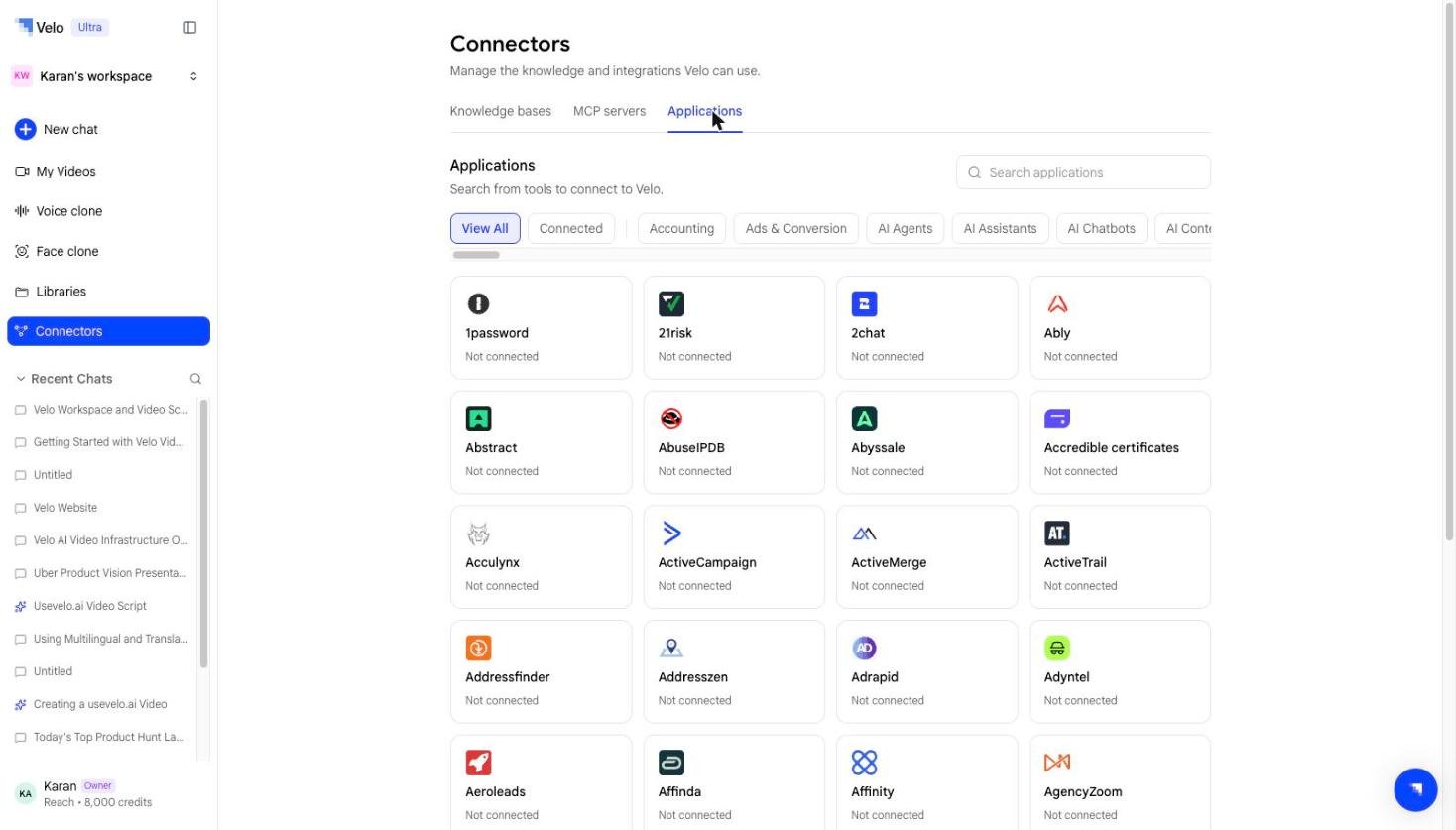 **Step 3:** Select the application and authorize access. Each card shows its current state, so anything you have not set up yet reads **Not connected**.
**Step 4:** Once connected, it is available as a source you can attach to any Prompt to Video session.
## What's supported
The directory runs to several hundred applications and covers the common categories — communication, docs and knowledge, CRM and sales, engineering, and support — alongside a long tail of more specialised tools.
Rather than reproduce the list here, search the **Applications** tab directly: it is the current, authoritative list and new integrations are added regularly.
## Access and permissions
Each application connector authenticates with your own account for that tool, and only pulls data you already have access to. Disconnect a connector at any time from the Applications tab.
**Step 3:** Select the application and authorize access. Each card shows its current state, so anything you have not set up yet reads **Not connected**.
**Step 4:** Once connected, it is available as a source you can attach to any Prompt to Video session.
## What's supported
The directory runs to several hundred applications and covers the common categories — communication, docs and knowledge, CRM and sales, engineering, and support — alongside a long tail of more specialised tools.
Rather than reproduce the list here, search the **Applications** tab directly: it is the current, authoritative list and new integrations are added regularly.
## Access and permissions
Each application connector authenticates with your own account for that tool, and only pulls data you already have access to. Disconnect a connector at any time from the Applications tab.