> ## Documentation Index
> Fetch the complete documentation index at: https://docs.usevelo.ai/llms.txt
> Use this file to discover all available pages before exploring further.
# Cards
### **1. What Is the Intro Card?**
The Intro Card is an optional title screen that plays at the very
beginning of your Velo before it starts. It displays your name,
role, and a brief description, giving viewers context about what they
are about to watch.
 ### **2. Enabling the Intro Card**
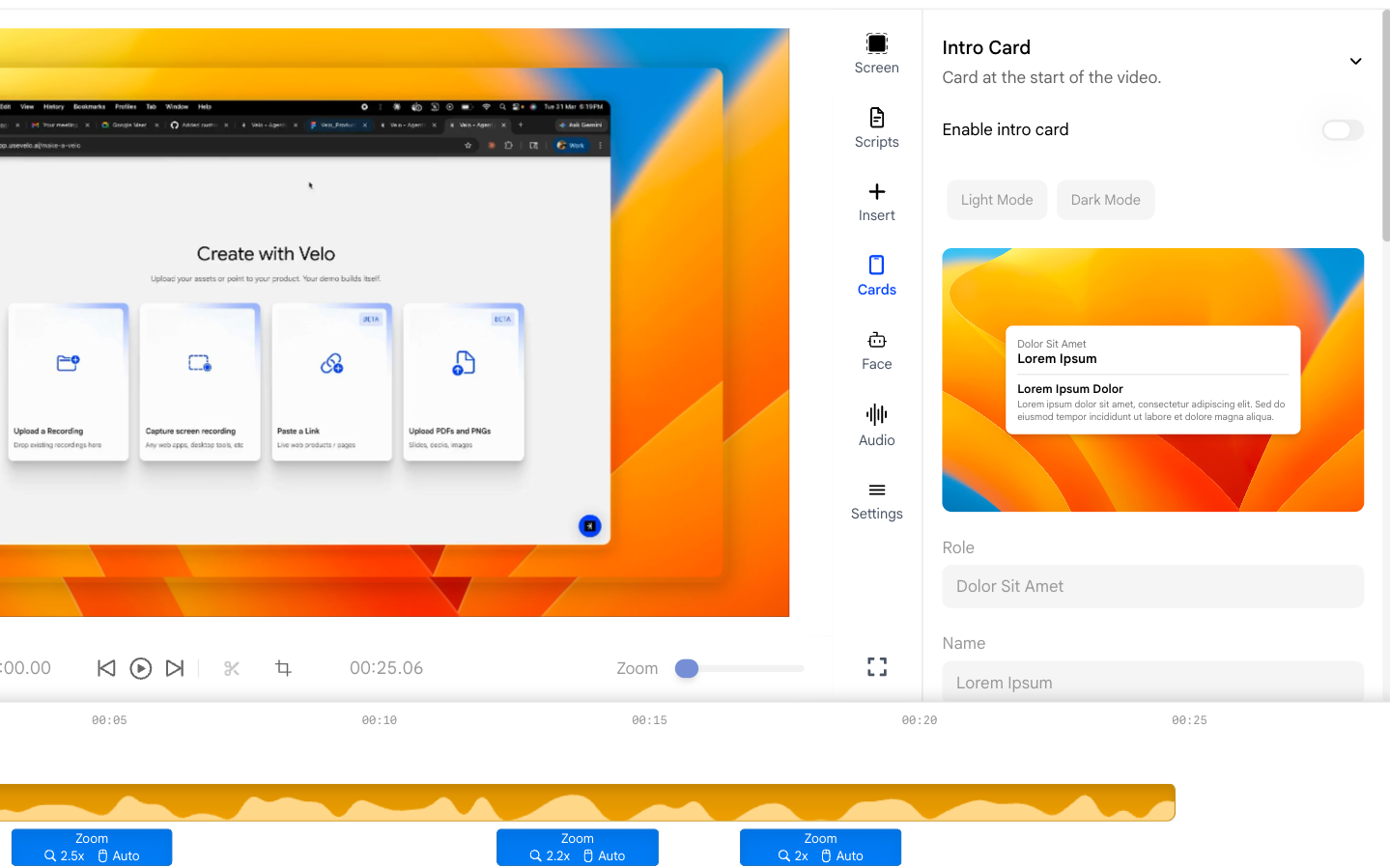
Open the **Cards** panel from the right sidebar. Toggle the **Enable**
switch to turn the intro card on.
* When enabled, a preview of the card appears in the panel so you can
see how it will look.
* Toggle it off to remove the intro card without deleting your
settings.
### **2. Enabling the Intro Card**
Open the **Cards** panel from the right sidebar. Toggle the **Enable**
switch to turn the intro card on.
* When enabled, a preview of the card appears in the panel so you can
see how it will look.
* Toggle it off to remove the intro card without deleting your
settings.
 ### **3. Switching Between Light and Dark Mode**
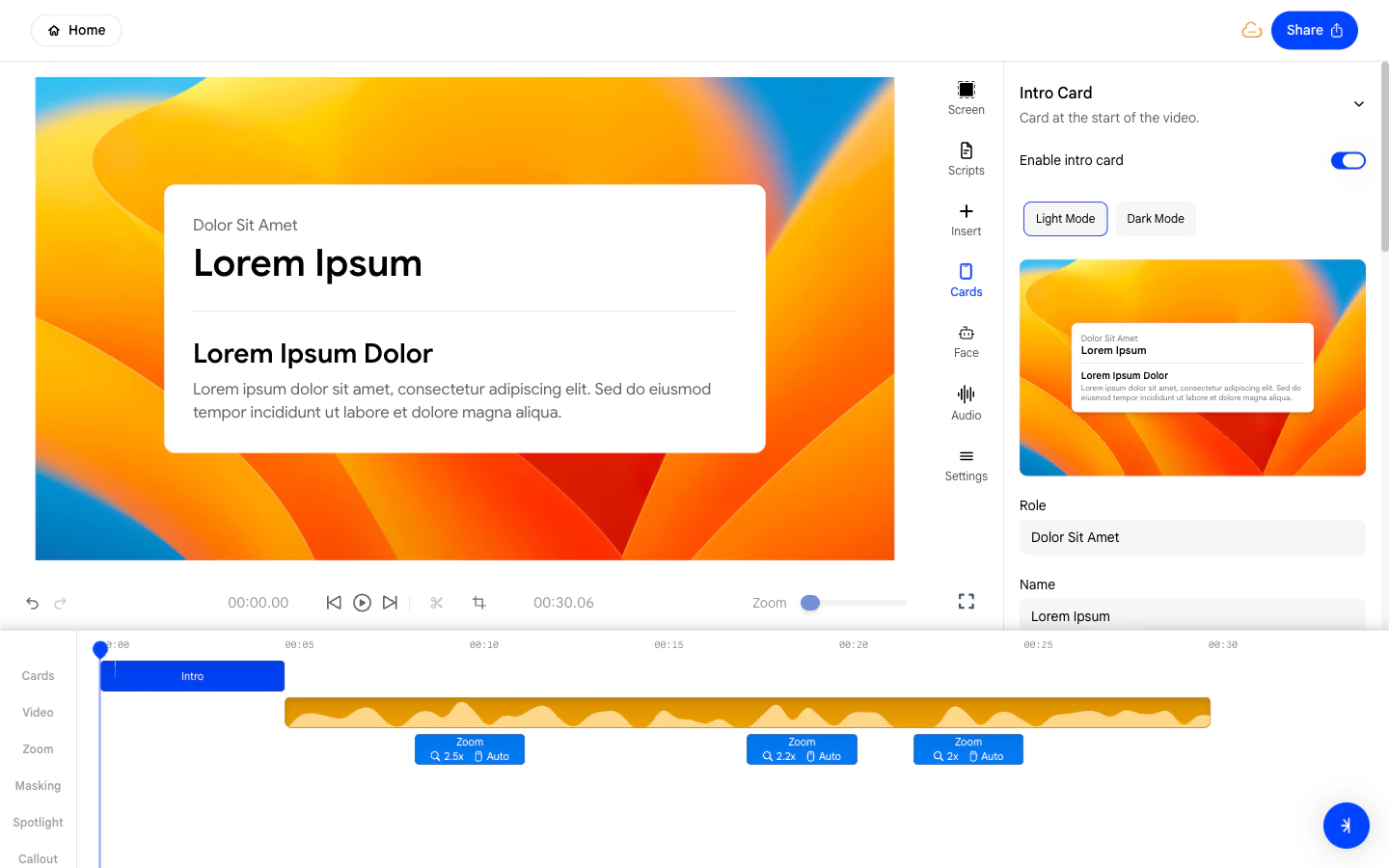
Use the **Light / Dark** toggle to choose the visual style of the intro
card.
* **Light** - A bright white card with dark text, suitable for
professional or minimal presentations.
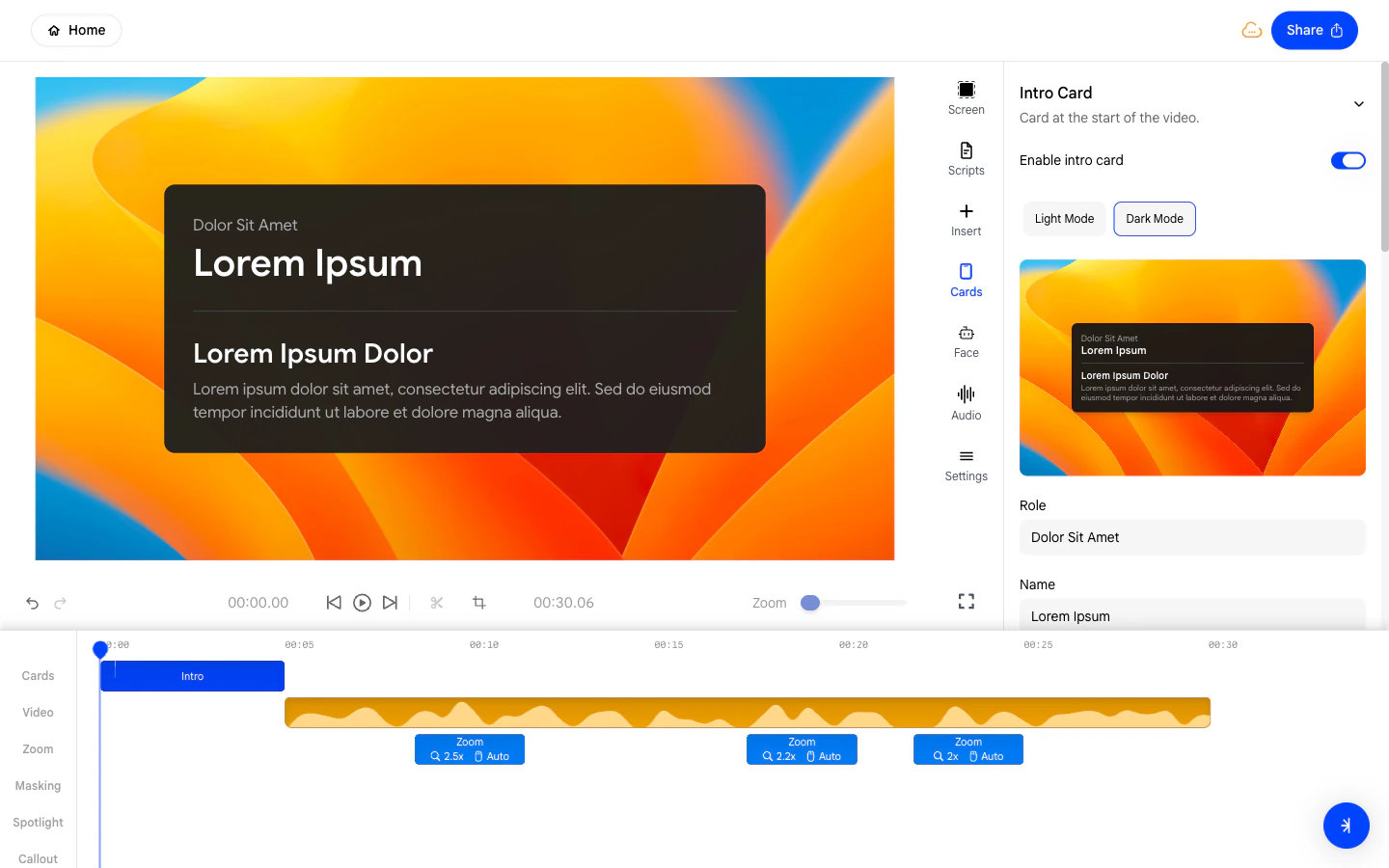
* **Dark** - A dark-background card with light text, suitable for
modern or technical Velos.
### **3. Switching Between Light and Dark Mode**
Use the **Light / Dark** toggle to choose the visual style of the intro
card.
* **Light** - A bright white card with dark text, suitable for
professional or minimal presentations.
* **Dark** - A dark-background card with light text, suitable for
modern or technical Velos.
 ### **4. Setting Your Name and Role**
Fill in the **Name** and **Role** fields to display your identity on the
intro card.
* **Name** - Your full name as you want it to appear to viewers.
* **Role** - Your job title or team, shown beneath your name.
### **4. Setting Your Name and Role**
Fill in the **Name** and **Role** fields to display your identity on the
intro card.
* **Name** - Your full name as you want it to appear to viewers.
* **Role** - Your job title or team, shown beneath your name.
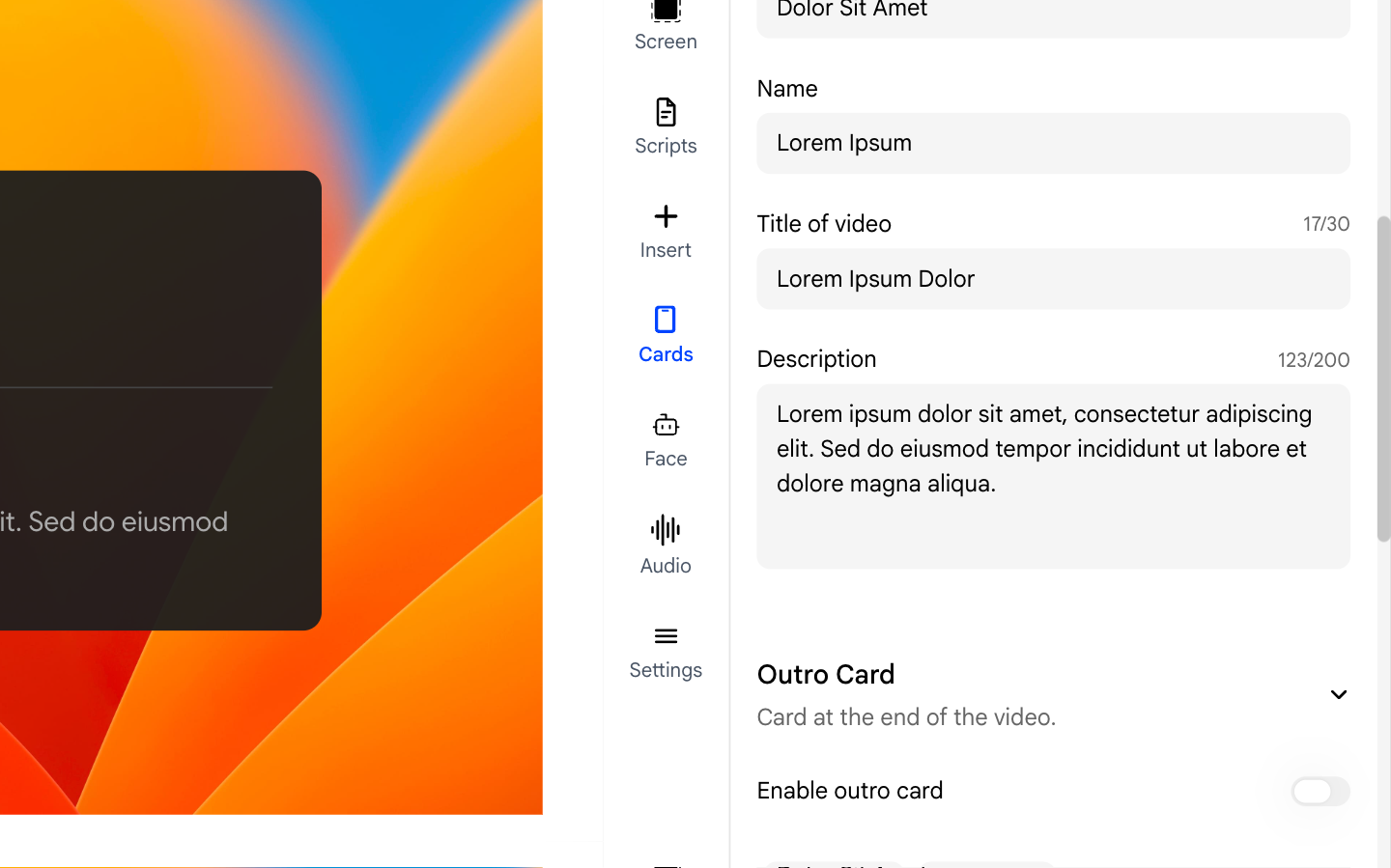
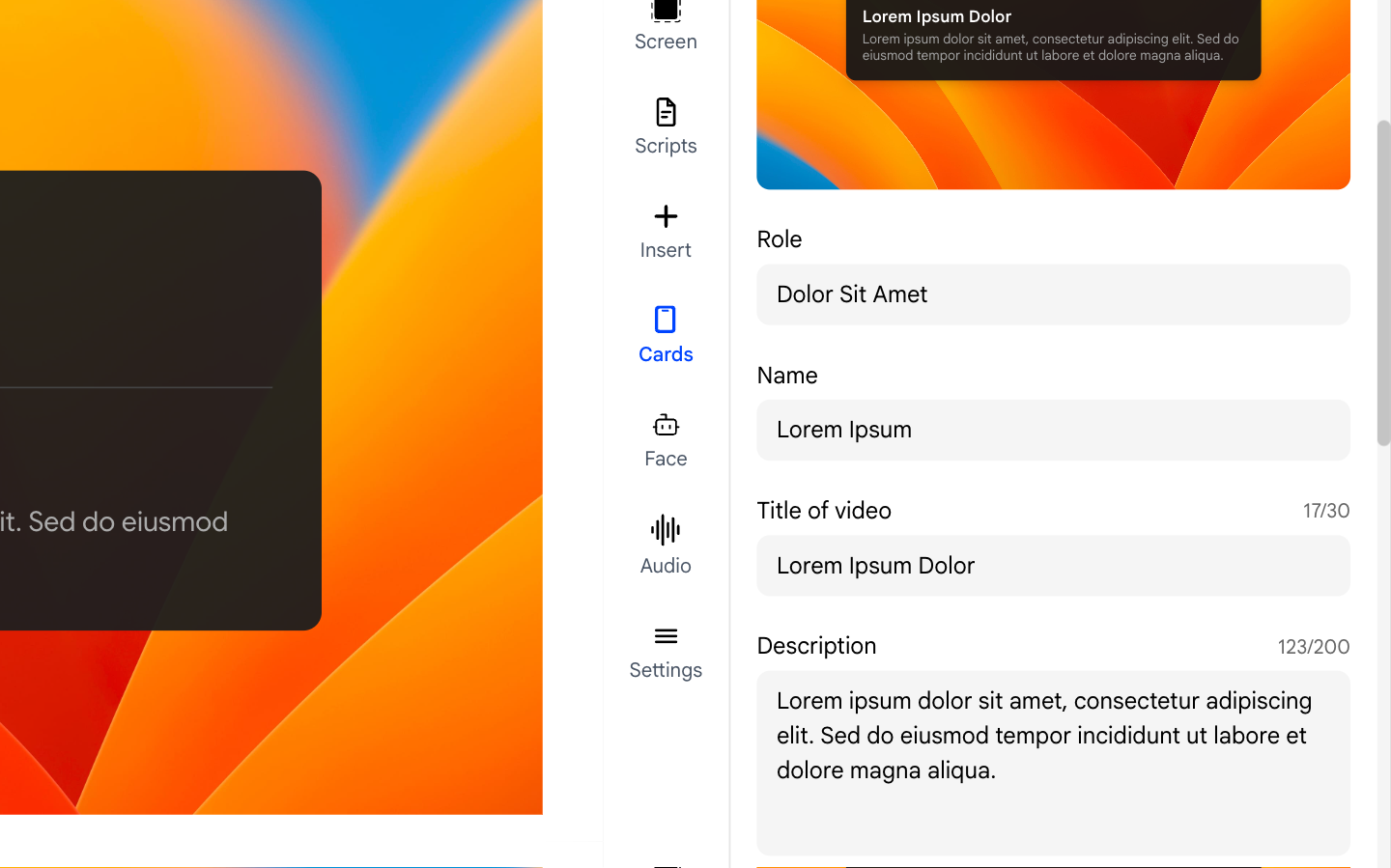 ### **5. Adding a Title and Description**
The intro card also supports a title and a short description:
* **Title of video** - A headline for your Velo, up to **30
characters**.
* **Description** - A short summary of what the video covers, up to
**200 characters**.
Keep both concise - they are displayed in a small area and should be
readable at a glance.
### **5. Adding a Title and Description**
The intro card also supports a title and a short description:
* **Title of video** - A headline for your Velo, up to **30
characters**.
* **Description** - A short summary of what the video covers, up to
**200 characters**.
Keep both concise - they are displayed in a small area and should be
readable at a glance.