> ## Documentation Index
> Fetch the complete documentation index at: https://docs.usevelo.ai/llms.txt
> Use this file to discover all available pages before exploring further.
# Video Analytics
> Track views, unique viewers, watch time, and reactions for every video you've created in Velo.
Every video you create in Velo comes with built-in analytics, so you can see how it's performing after it's shared — no separate tool required.
## Finding Analytics
**Step 1:** Go to **My Videos** in the left sidebar to see every video in your workspace.
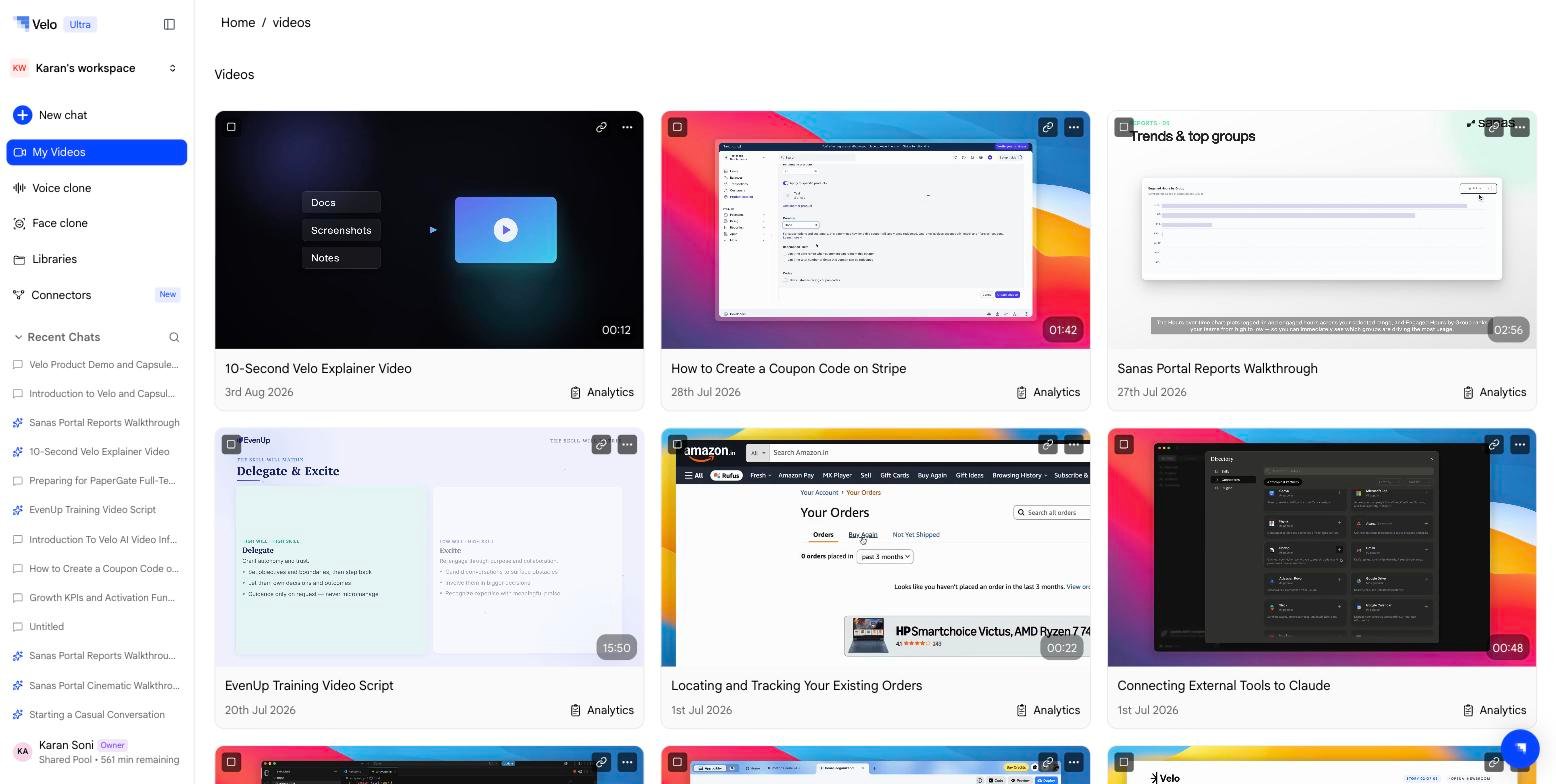 **Step 2:** Each video card shows an **Analytics** link in the bottom-right corner. Click it to open the analytics panel for that video.
## What You Can See
The **Video analytics** modal shows:
* **Views** — total number of times the video has been played
* **Unique Viewers** — the number of distinct people who watched
* **Total Watched** — cumulative watch time across all viewers
* **Total Reactions** — total emoji reactions left on the share page
* A per-viewer breakdown once people start watching (name/email if known, when they watched, and how much of the video they viewed)
**Step 2:** Each video card shows an **Analytics** link in the bottom-right corner. Click it to open the analytics panel for that video.
## What You Can See
The **Video analytics** modal shows:
* **Views** — total number of times the video has been played
* **Unique Viewers** — the number of distinct people who watched
* **Total Watched** — cumulative watch time across all viewers
* **Total Reactions** — total emoji reactions left on the share page
* A per-viewer breakdown once people start watching (name/email if known, when they watched, and how much of the video they viewed)
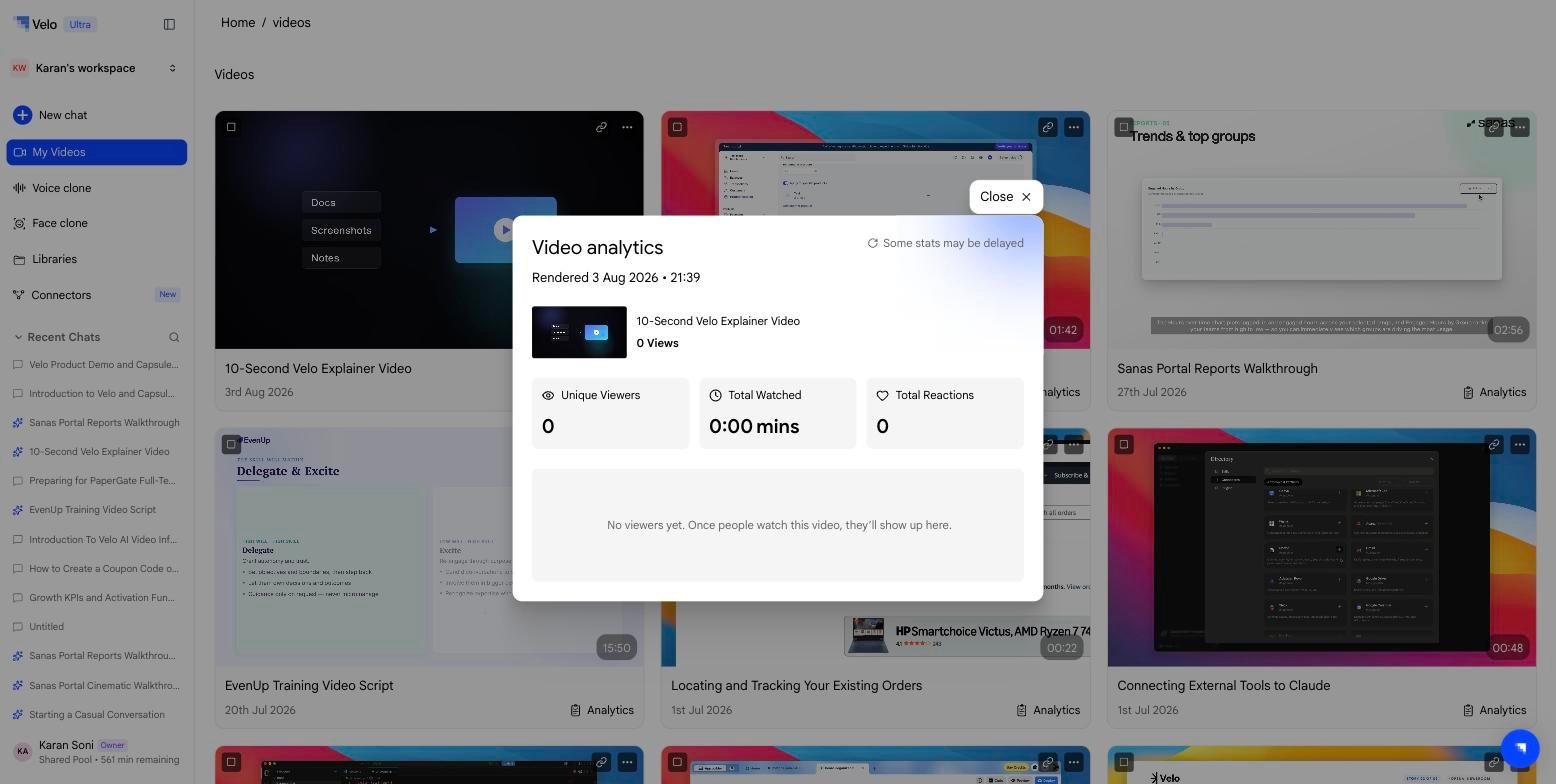 Until someone opens the share link, the panel shows all metrics at zero with a placeholder: *"No viewers yet. Once people watch this video, they'll show up here."*
Some stats may be delayed slightly — the panel includes a refresh indicator if data is still catching up.
## Notes
* Analytics are tracked per rendered video and reset if you re-render — the card shows the current render's timestamp (e.g. "Rendered Aug 4, 2026 • 5:32 AM").
* Views and reactions are counted from the public [share page](/creating-a-velo/sharing), not from teammates viewing the video inside Velo itself.
Until someone opens the share link, the panel shows all metrics at zero with a placeholder: *"No viewers yet. Once people watch this video, they'll show up here."*
Some stats may be delayed slightly — the panel includes a refresh indicator if data is still catching up.
## Notes
* Analytics are tracked per rendered video and reset if you re-render — the card shows the current render's timestamp (e.g. "Rendered Aug 4, 2026 • 5:32 AM").
* Views and reactions are counted from the public [share page](/creating-a-velo/sharing), not from teammates viewing the video inside Velo itself.